
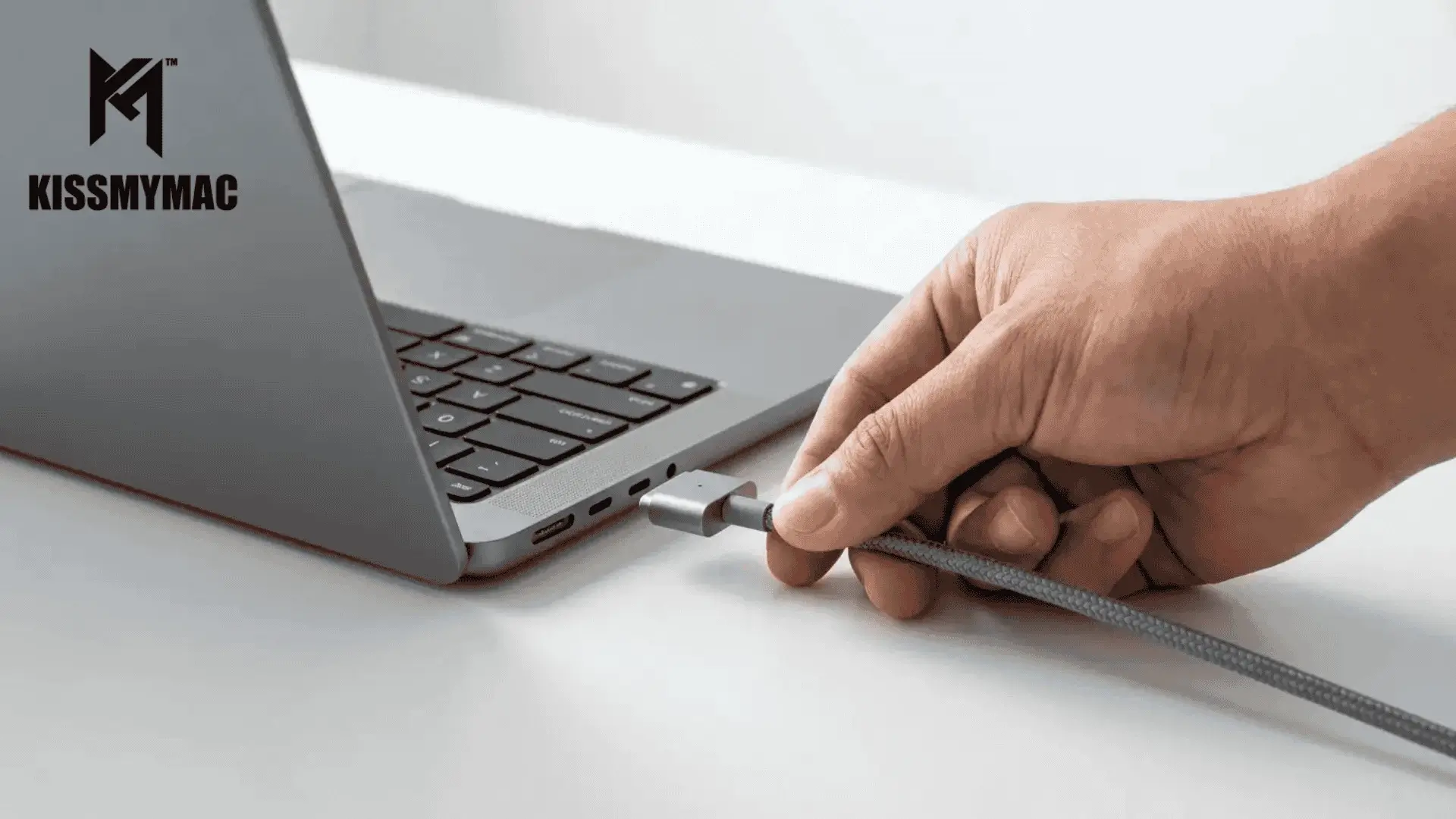
By the KissMyMac® Repair Team · Apple Certified Independent Repair Provider · Last Updated: June 2026
Key Takeaways
- MacBook not charging repair Malaysia rarely means your MacBook is “dead.” In our 10+ years at the bench, the cause is almost always one of 9 specific issues — and 5 of them are not the battery.
- The USB-C / MagSafe port is more often the culprit than people think. Port damage from bent cables, dust, or one wrong tug accounts for a large share of “not charging” cases we see weekly.
- Charging IC failure on the logic board is the high-value diagnosis most general repair shops miss — and it’s exactly what an Apple Certified Independent Repair Provider with micro-soldering capability can fix at a fraction of Apple’s full board swap.
- Don’t open your MacBook. Some symptoms can be ruled out at home (try another cable, another outlet, restart). But disassembly, port cleaning with metal tools, or DIY soldering will turn a RM350 fix into a RM3,000+ logic board job.
- KissMyMac® is an Apple Certified Independent Repair Provider in Malaysia with locations in Kuala Lumpur (Taman Desa), Petaling Jaya (Damansara Uptown), and Seremban. FREE diagnosis. No Fix, No Fee. WhatsApp us with a photo of your charger and port — we’ll tell you what’s likely wrong before you even come in.
Table of Contents
Why Is Your MacBook Not Charging — And Why “Just Buy a New Charger” Is Bad Advice
MacBook not charging describes any state where a connected charger fails to deliver power to the battery — whether macOS shows “Not Charging,” charge percentage stops increasing, or the MacBook won’t power on at all. The cause is almost always one of nine specific hardware or software faults, most of which are not the battery.
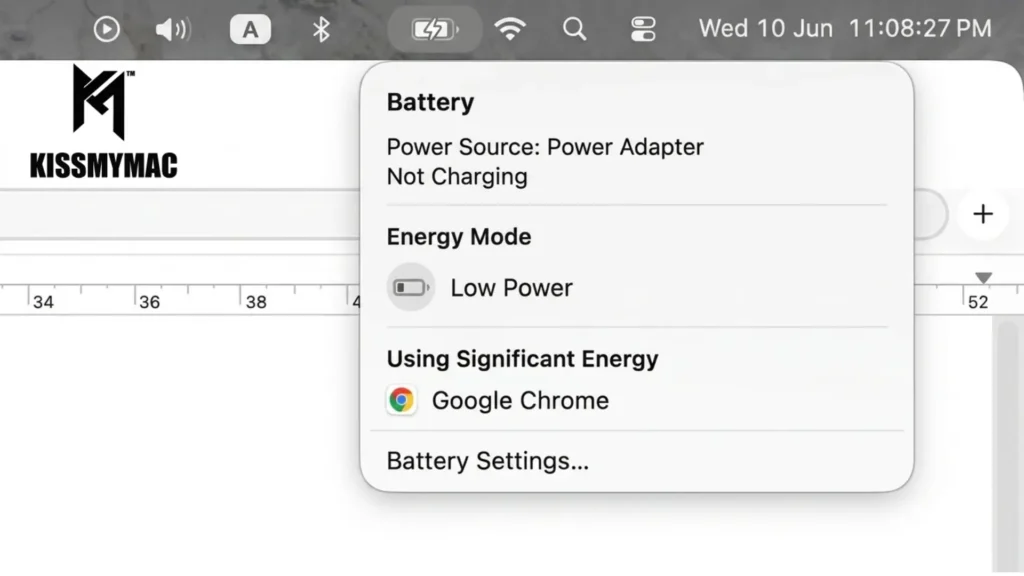
Let’s get straight to it. Your MacBook is plugged in. The little orange or green light isn’t coming on. The battery icon shows “Not Charging.” Maybe you’ve already swapped to your spouse’s charger and it still won’t budge.
We get this call almost every single day at KissMyMac®. And the most expensive mistake we see is when customers spend RM400 to RM800 on a new official charger — only to find out the charger was never the issue.
Based on what we encounter every single week at KissMyMac®, MacBook not charging repair Malaysia comes down to a diagnostic ladder. There are 9 likely causes, ranked from “you can rule it out in 60 seconds at home” to “you need an Apple Certified Independent Repair Provider with a microscope and a soldering station.”
Skip the ladder, and you waste money guessing. Follow it, and you save yourself from a RM3,000 logic board replacement when the real fix was a RM350 port repair.
By the numbers: Apple rates most modern MacBook batteries for 1,000 full charge cycles before significant capacity loss (Apple battery service documentation). Apple’s own wattage guidance confirms a 16″ MacBook Pro M5 Max requires up to 140W to charge — plug in a 20W USB-C cable and the MacBook displays “Not Charging” even with a perfectly healthy port and battery. Getting the diagnosis right saves you RM400–RM800 on a charger you don’t need.
Let’s walk through each one.
9 Causes Your MacBook Isn’t Charging (Diagnostic Ladder)
Cause #1 — Bad Cable or Wrong-Wattage Charger
Sounds like the obvious one. We know. But this is our number one most encountered fix — and we mean fix, not just “try this first lah.”
USB-C charging cables are not all created equal. We’ve seen customers using a USB-C cable that came with their iPad or AirPods Pro and wondering why their 16″ MacBook Pro M3 Max isn’t charging. The cable is rated for 20W. Your MacBook needs 96W or 140W. The MacBook may show “Not Charging” or charge so slowly the battery still drains during use.
We’ve also seen genuine Apple cables fail at the joint near the USB-C plug — internal wires snap from being yanked at an angle. The cable looks fine on the outside. Inside, it’s broken.
What to try: Swap to a known-good Apple-rated charging cable AND a known-good adapter — ideally the original wattage that shipped with your MacBook. A friend’s Apple charger works. The one from your office desk, also fine.
If swapping cable + adapter solves it, you’re done. Buy a replacement Apple-spec charger and move on.
If it still won’t charge — keep going down the ladder.
Cause #2 — Faulty Outlet or Power Source
Sounds silly, but we’ve had customers WhatsApp us in a panic from a co-working space, only to find out the wall socket itself was tripped or dead.
What to do: Plug your charger into a different wall outlet — preferably in a different room. If you’re using an extension cord or a power strip, plug directly into the wall instead. Power strips with surge protection sometimes silently fail.
If your MacBook charges from a different outlet, the issue isn’t your Mac at all.
Cause #3 — SMC / Firmware Glitch (Rule-Out Only)
The SMC (System Management Controller) on Intel-based MacBooks handles power delivery, battery charging, and thermal management. On Apple Silicon MacBooks (M1, M2, M3, M4), there’s no separate SMC reset — Apple replaced that function with a normal restart.
Sometimes the SMC gets confused. The MacBook is plugged in, the charger is fine, but charging just won’t engage.
What to do:
- Apple Silicon (M1, M2, M3, M4): Shut down completely. Wait 30 seconds. Power back on. That’s it — Apple Silicon Macs reset the equivalent on every shutdown.
- Intel MacBook with T2 chip (2018-2020): Shut down → press and hold the right Shift + left Option + left Control for 7 seconds → without releasing those, also press and hold the power button for another 7 seconds → release all four keys → wait a few seconds, then power on.
- Intel MacBook without T2 chip (pre-2018): Shut down → with charger connected, press and hold left Shift + left Control + left Option + power button for 10 seconds → release → power on.
This is controversial — sometimes an SMC reset solves the issue, sometimes it doesn’t change anything. In our experience, it works maybe 1 in 10 cases. But it costs nothing and takes 30 seconds, so worth trying before you bring the MacBook in.
If it still won’t charge — your problem is hardware, not software. Keep going.
Cause #4 — Dirt or Debris in the USB-C Port (Visual Check Only)
Pull out a torchlight (your phone flashlight works). Shine it directly into the USB-C port on your MacBook. What do you see?
Lint from your jeans pocket. A grain of sand from that beach trip in Langkawi. A tiny piece of foil, biscuit crumbs, dried kopi crust — we’ve literally fished out broken-off toothpicks from MacBook ports before. You name it, we’ve seen it. Malaysian humidity, dust, and the way most of us toss our chargers into the same bag as our keys and snacks — debris in the port is way more common than people realise.
What to do: Look. Don’t poke. Don’t blow into it (your breath has moisture — that’s worse). Don’t stick a needle, paper clip, or compressed air can with the straw inside. The pins inside a USB-C port are micro-thin and bend with very little pressure. We’ve seen DIY cleaning attempts turn a debris issue (free fix) into a full port replacement (RM350-RM800).
If you see something inside, bring your MacBook in for free diagnosis. We use proper anti-static tools and a microscope to clear debris without bending pins.
Cause #5 — Damaged USB-C Port (or MagSafe Port on Newer 14″/16″ Models)
This is one of the most common fixes we perform — and one of the most underdiagnosed by general laptop repair shops.
The USB-C port is a precision-engineered connector. The pins inside are extremely fragile. Common causes of port damage:
- Tripping over the cable while it’s plugged in — bends the port internally
- Charging cable plugged in at an angle because the laptop is at the edge of a desk
- Rough or repeated insertion of cables over years of use
- Liquid spill that corroded the contacts (see Cause #9)
You may notice the port “feels loose” — the cable wiggles where it used to sit firm. Or charging works at one specific angle and stops the moment you nudge the cable. That’s classic port-side failure.
KissMyMac® technician note: “Charging that only works at one specific cable angle is almost always port damage — not cable damage. The cable is fine; the port’s internal pins have shifted or corroded. Swapping cables won’t fix it. The port needs to come out and be replaced.”
For 2021+ MacBook Pro 14″ and 16″ models with MagSafe 3, the MagSafe port itself can also fail — though less commonly because the magnetic disconnect protects against most yank damage. The MagSafe cable’s connector pins can also wear or corrode.
What you cannot do at home: This isn’t a soldering iron and YouTube job. The USB-C port on Apple Silicon MacBooks is soldered directly to the logic board with dozens of micro-pins on a multi-layer board. MacBook charging port replacement requires:
- Logic board removal
- Hot air rework station
- Microscope-level soldering
- Genuine replacement port (cheap aftermarket ports fail within months)
This is exactly the kind of repair Apple Authorised Service Providers refuse to do — they’ll quote you for a full logic board replacement (RM3,000-RM6,000+). At KissMyMac®, port-only replacement typically runs RM350-RM800 depending on model.
Cause #6 — Damaged Charging Cable Strain at the Connector
Look at your charging cable — specifically where it joins the USB-C or MagSafe plug. Is the rubber sheath bulging, frayed, or showing copper underneath?
A cable that’s been kinked, wrapped tightly around an adapter, or yanked from an angle for years develops internal strain. The outer jacket looks fine, but the inner wires are broken or shorted. The MacBook may charge intermittently, only at a specific cable angle, or stop charging if you bump the desk.
What to do: This is just a “test with another cable” situation. If a known-good cable works and yours doesn’t — your cable is the problem. Buy a replacement Apple-rated cable. Stop wrapping it around the adapter brick like a spaghetti bowl. Use a soft figure-8 wrap or a cable organiser instead.
Cause #7 — Battery at End of Life (Cycle Count Limit)
Sometimes the MacBook is charging — your charger and port are fine — but the battery itself is at the end of its life and physically can’t hold a charge.
Apple’s lithium-polymer batteries are rated for 1,000 charge cycles for most modern MacBooks — confirmed in Apple’s battery service documentation. Once you’re past that — and especially if your MacBook is 4-6 years old and used daily — the battery’s full charge capacity (mAh) drops significantly. macOS may show “Service Battery” or “Replace Soon” in System Settings → Battery.
In some cases, a deeply degraded or swollen battery will refuse to charge above a certain percentage, or will trigger a charging fault that looks identical to a port issue.
What to do: Check your battery cycle count and condition. On macOS: hold Option, click the Apple menu → System Information → Hardware → Power. Look at “Cycle Count” and “Condition.”
If your battery is past cycle limits or marked Service Battery, you need a battery replacement, not a charger or port repair. Read our guide to MacBook battery replacement in Malaysia and how to check your MacBook battery health for the full breakdown — including KissMyMac®’s genuine battery pricing.
Important: A swollen battery is a fire and pressure-damage risk. Do NOT continue using a swollen MacBook. Power it down and bring it in immediately.
Cause #8 — Charging IC Failure on the Logic Board
This is the cause Apple Authorised Service Providers won’t fix — and the one we live for at KissMyMac®.
What is a MacBook charging IC? The charging IC (integrated circuit) — labelled U3100, CD3217, or PMIC depending on model — is a chip soldered to the logic board that negotiates and regulates power delivery between the charger, battery, and system components. Without a functioning charging IC, no charge reaches the battery regardless of charger, cable, or port condition.
When the charging IC fails — usually from a power surge, liquid exposure, or just plain age — your MacBook stops charging entirely. Or it charges to 1% and stops. Or it shows “Not Charging” no matter what charger or port you use.
Symptoms that point to charging IC failure:
- Charger is confirmed good (works on another MacBook)
- Port is physically clean and undamaged (we’ll verify under microscope)
- Battery has been swapped or tested and is healthy
- MacBook shows “Not Charging” or won’t power on without the charger plugged in
- MacBook gets warm at one specific spot near the charging port without doing anything
Apple’s response to a failed charging IC? Replace the entire logic board — RM4,000 to RM8,000+ depending on model. Your data risks being wiped during the swap.
KissMyMac®’s response? Component-level micro-soldering. We desolder the failed IC, install a genuine replacement, and your existing logic board is back in business — with all your data, settings, and apps intact. Pricing typically RM800-RM1,800 depending on the chip and complexity. Read our MacBook logic board repair guide for the full picture on what we fix and how.
This is the single biggest reason Macbook not charging repair Malaysia is worth doing with an Apple Certified Independent Repair Provider with micro-soldering capability — not a general laptop shop and not a full Apple replacement.
Cause #9 — Liquid Damage in the Port or on the Logic Board
Spilled coffee, kopi, milo, teh tarik, water, juice, etc. — accidents happen. Sometimes the spill is obvious. Sometimes it’s a tiny splash you didn’t even notice that travelled into the USB-C port and corroded the contacts overnight.
Liquid damage symptoms that show up as “not charging”:
- Port suddenly stops working after a spill (even a small one)
- Green corrosion or whitish residue visible inside the port under torchlight
- MacBook charges only at certain angles, then stops entirely a few days later
- Sticky feeling on keys near the port, etc.
Critical: If you suspect any liquid contact — even days or weeks ago — do NOT keep using the MacBook on the charger. Liquid + electricity = ongoing corrosion that spreads across your logic board. Every day you delay, the damage and cost grow.
Read our MacBook water damage repair guide for the full action steps. The short version: power off, do not turn back on, do not try to dry it with a hair dryer or rice (that’s a myth), and bring it to KissMyMac® for ultrasonic cleaning of the logic board ASAP.
Quick At-Home Rule-Outs (No Disassembly Required)
Before you bring your MacBook in, you can rule out the easy 4 in under 10 minutes. Do not open the MacBook. Do not use metal tools in the port. Do not attempt any disassembly.
- Try another known-good Apple charging cable. Borrow one if you have to.
- Try another known-good adapter — ideally the correct wattage for your model.
- Plug into a different wall outlet — different room if possible. Skip extension cords for this test.
- Restart your MacBook (Apple Silicon) or perform an SMC reset (Intel — see Cause #3 above).
If charging still doesn’t work after all four, the issue is hardware. Stop guessing. Stop buying random cables. WhatsApp KissMyMac® for FREE diagnosis and we’ll tell you whether it’s port, IC, battery, or liquid damage — before you commit a single Ringgit.
Why a Bad Charging Port Is More Common Than People Think
Here’s something we see all the time. Customer walks in, totally convinced the battery is dead or the MacBook is “finished” — nothing can save it. The actual diagnosis? Charging port. More often than they expect.
Here’s why ports fail more than people realise:
- USB-C is mechanical, not just electrical. Every plug-in and unplug puts physical stress on those tiny pins. Multiply by 4-6 years of daily use.
- The port is at the edge of the laptop. Trip over the cable, knock the laptop while charging, drop the cable on the floor still connected — all of it transfers force directly into the port.
- Malaysian environment is rough on electronics. Humidity, dust, aircon vents, construction sites nearby, etc. — it all settles into ports.
- Cheap adapters and cables. Aftermarket chargers don’t always meet the same tolerance specs as genuine Apple — and a poorly fitting cable wears the port faster.
A bad port mimics every other charging problem. Battery not lasting? Could be a port that’s slow-charging. MacBook turns off at 80%? Could be a port that’s not delivering full wattage. “Not Charging” with the cable connected? Almost certainly the port if your cable and adapter are confirmed good.
KissMyMac® repair data (2024–2025): Across our three Malaysia locations, charging port damage accounts for approximately 40% of all “MacBook not charging” diagnoses — ahead of battery failure (~25%), cable or adapter issues (~20%), and charging IC or logic board failure (~15%). If your cable and adapter are confirmed good and the MacBook still won’t charge, the port is the statistically most likely cause.
The good news: port-only replacement at KissMyMac® is significantly cheaper than logic board replacement and fast — usually 1-3 working days.
Diagnostic Process at KissMyMac®
When you bring your MacBook in (or WhatsApp us photos first), here’s exactly what happens at the counter — no surprises, no hidden steps:
- FREE diagnosis at the counter. No commitment. No deposit.
- Visual port inspection under microscope. We see what your eye can’t — bent pins, corrosion, debris.
- Charger and cable verification. We test your charger on a known-good MacBook and a known-good charger on your MacBook.
- Battery health check via Apple Diagnostics. We pull cycle count, full charge capacity (mAh), and condition.
- Logic board inspection. If port and battery check out, we trace the charging circuit to identify charging IC or related component failure.
- Honest written quote. You see the exact part, the exact cost, the timeline. No hidden charges.
- Your decision. Approve, get a second opinion, or walk away — your MacBook is returned to you either way at no charge.
We don’t guess. We measure, we verify, then we quote. That’s what “Apple Certified Independent Repair Provider” actually means in practice — genuine Apple parts, Apple Diagnostics tools, and the micro-soldering capability that Apple Authorised Service Providers don’t offer.
How Much Does MacBook Not Charging Repair Cost in Malaysia?
Pricing depends on which of the 9 causes is the actual problem. Here’s what we charge at KissMyMac® across our KL, PJ, and Seremban locations:
| Repair Type | Estimated Cost (RM) | Typical Turnaround |
| USB-C Port Replacement (Most MacBook Air/Pro Models) | Rm350 – RM650 | 1-2 Hours |
| magSafe 3 Port Repair/Replacement (14″/16″ M1 and above) | RM450 – RM900 | 1-2 Hours |
| Component Level Micro Soldering | RM850 – RM1,800 | 2-5 Working Days |
| Battery Replacement | RM450 – RM1,500 | 1-2 hours |
| Liquid Damage Cleaning | RM350 – RM850 | 1-3 hours |
| Liquid Damage Cleaning + Components Repair | RM350 – RM1,800 | 2-5 Working days |
Pricing disclaimer: Prices above are estimated ranges based on common cases. Final pricing depends on your specific MacBook model (year, chip, screen size), the exact components affected, and parts availability at time of repair. We provide a written, fixed quote after FREE diagnosis — and we never proceed without your approval. No Fix, No Fee means if we can’t repair it, you don’t pay.
Compare this to Apple’s response for the same symptom — full logic board replacement at RM4,000 to RM8,000+ depending on model — and you can see why MacBook not charging repair Malaysia is a job for an Apple Certified Independent Repair Provider, not Apple’s “swap the whole board” approach.
Why KissMyMac®
KissMyMac is an Apple Certified Independent Repair Provider in Malaysia. Three locations. Over 10 years on the bench.
- Component-level repair, not part-swap roulette. We diagnose to the chip, not the whole board.
- Genuine Apple parts sourced through Apple’s supply chain — same parts Apple Stores use.
- Micro-soldering capability for charging IC, power IC, and logic board repairs that Apple Authorised Service Providers refuse to do.
- Genuine batteries with proper calibration and condition tracking.
- Your data stays untouched — we don’t wipe, we don’t reinstall, we don’t peek.
- FREE diagnosis before any commitment.
- No Fix, No Fee — if we can’t repair it, you walk out without paying.
- Three locations: Kuala Lumpur (Taman Desa), Petaling Jaya (Damansara Uptown), Seremban (Negeri Sembilan).
You can verify our Apple IRP status on Apple’s official repair provider lookup at support.apple.com/repair/verify-repair-provider.
Frequently Asked Questions (FAQ)
Why is my MacBook plugged in but not charging?
In our experience, MacBook plugged in not charging typically points to one of four issues: a damaged or under-wattage charging cable, a debris-clogged or physically damaged USB-C port, an end-of-life battery that can’t hold charge, or a charging IC failure on the logic board. Rule out cable and adapter first by trying known-good replacements. If swapping doesn’t help, you likely have a hardware issue — bring it to KissMyMac® for FREE diagnosis. We’ll tell you exactly which of the 9 causes is the actual problem before you spend a single Ringgit.
How much does it cost to replace a MacBook charging port in Malaysia?
At KissMyMac®, MacBook charging port replacement typically costs RM350 to RM800 for USB-C ports on most MacBook Air and MacBook Pro models, and RM450 to RM900 for MagSafe 3 ports on 2021+ 14″ and 16″ MacBook Pro models. Final pricing depends on your specific model and parts availability. This is significantly cheaper than Apple’s approach, which usually quotes a full logic board replacement (RM4,000 to RM8,000+) for the same symptom.
Can a MacBook charging port be repaired or only replaced?
The USB-C port itself is a soldered component — it cannot be “repaired” in the traditional sense. It must be desoldered and a new genuine port soldered in its place. This is MacBook USB-C port repair done at the component level. It requires a microscope, hot air rework station, and significant micro-soldering experience. KissMyMac®, as an Apple Certified Independent Repair Provider, performs this repair regularly. Most general laptop repair shops in Malaysia do not have the equipment or skill for it.
Is it the battery or the charging port? How do I know?
Check your battery condition first. On macOS, hold Option, click the Apple menu → System Information → Hardware → Power. If “Cycle Count” is over 1,000 or “Condition” says Service Battery, your battery is likely the issue. If the battery is healthy but the MacBook still won’t charge, it’s almost certainly the port, the charging IC, or the cable/adapter. KissMyMac®’s FREE diagnosis covers all of these — we test charger, cable, port, battery, and logic board so you don’t pay to fix the wrong thing.
Do I need a MagSafe repair on my newer MacBook Pro?
If you have a 2021 or newer 14″ or 16″ MacBook Pro, you have MagSafe 3 as an option in addition to USB-C charging. MacBook MagSafe repair is needed when the MagSafe port stops magnetically connecting, the indicator light doesn’t come on, or charging only works on USB-C but not MagSafe. The MagSafe cable’s connector can also wear out or corrode separately from the port. KissMyMac® handles both MagSafe port and cable issues — bring both in for diagnosis.
Will I lose my data during a charging port or logic board repair?
No. KissMyMac® performs component-level repair, not full board replacement. Your SSD stays soldered to its original logic board (or kept connected if it’s a logic board repair), and your data, apps, and settings stay completely intact. This is a major advantage over Apple Authorised Service Providers, who often replace the whole logic board — taking your soldered SSD with it, and forcing a full data restore.
How long does MacBook charging repair take at KissMyMac®?
Most charging-related repairs at KissMyMac® are completed within 1 to 5 working days depending on the issue: USB-C port replacement typically 1-3 days, MagSafe port 2-4 days, charging IC component repair 2-5 days, and full logic board work 3-7 days. We provide an exact estimated turnaround at the time of your FREE diagnosis. WhatsApp us with photos and your model, and we can give you a rough timeline before you even visit.
What is a MacBook charging IC and why does it fail?
The MacBook charging IC is a chip on the logic board — labelled U3100, CD3217, or PMIC depending on model — that regulates power delivery between the charger, battery, and system. When it fails, the MacBook won’t charge regardless of charger, cable, or port condition. Common failure causes: power surges from third-party chargers, liquid exposure, and age-related degradation. Charging IC failure is frequently misdiagnosed — general repair shops often quote a full logic board replacement (RM4,000–RM8,000+) when a component-level IC swap is the actual fix. KissMyMac® specialises in this repair at a fraction of that cost (RM800–RM1,800 typically), with your data and existing logic board intact.
How do I know if my MacBook USB-C port is damaged?
Three signs point clearly to port damage: (1) charging works at one specific cable angle but stops if you nudge the cable, (2) the USB-C connector feels loose or wiggly where it used to sit firm, (3) you can see bent pins, corrosion, or discolouration inside the port under a torchlight. If any of these apply and swapping to a known-good Apple cable doesn’t help, the port is likely damaged. KissMyMac® inspects every port under a microscope during FREE diagnosis to confirm before recommending repair.
Stop Guessing. Get Your MacBook Charging Again — Fast
If your MacBook isn’t charging, the worst thing you can do is keep guessing. Buying random chargers. Poking the port with a paper clip. Hoping it’ll magically fix itself.
The diagnostic ladder above narrows the cause to one of 9 issues. KissMyMac®, Malaysia’s Apple Certified Independent Repair Provider, finds the actual cause for free and fixes the right thing the first time.
- FREE diagnosis — no commitment, no deposit
- No Fix, No Fee — if we can’t repair it, you don’t pay
- Genuine Apple parts + micro-soldering capability for charging IC repair
- Your data stays intact — we don’t wipe, we don’t reinstall
Three locations to serve you across the Klang Valley and Negeri Sembilan:
- Kuala Lumpur — Taman Desa
- Petaling Jaya — Damansara Uptown
- Seremban — Negeri Sembilan
WhatsApp us today with a photo of your MacBook port and the charger you’re using. We’ll give you an initial assessment before you make the trip.
A charging Mac is a happy Mac, and a happy Mac means you can get back to work.
Written By:
I am the KissMyMac® Malaysia Technician, an Apple Certified Technician at KissMyMac with More than 8 Years Of Experience In The Apple Repair Industry. We specialize in Macbook Repair & Upgrade, iMac Repair, iPhone Repair, iPad Repair in KissMyMac. We have dealt with more than 30,000+ Apple repairs throughout our years working in this industry, from a small repair shop to where we are now with 3 branches across Malaysia – KissMyMac Kuala Lumpur, KissMyMac Petaling Jaya, and KissMyMac Seremban