Supplied & supported by KissMyMac · Nationwide

Your data is yours.
The control isn't.
Private cloud storage
gives you both.

Rented cloud storage is RM45 a month, forever. A private cloud server at home is once. Your photos, your files, your Macs, on a box you own.

TL;DR

Private cloud storage puts every photo, file and backup on one quiet box in your home and office — not on a monthly subscription. Every Mac, iPhone, iPad and PC backs up to it automatically. Supplied and set up by KissMyMac, shipped anywhere in Malaysia with step by step guided setup.

RM 2,694

What five years of a 2 TB cloud plan costs — and you still don't own anything.

RM 0/month

What your own cloud costs to keep after the one-time setup.

Every device

Mac, iPhone, iPad, PC and TV all connect to the same box — the whole family, one home for everything.

The problem

Data rarely dies dramatically. It dies on ordinary days.

Baby photos. The wedding. A late parent's voice notes. Almost nobody loses them to a disaster — they're lost like this:

A modern Mac's soldered SSD diesThe photos die with it — no drive to pull, no lab rescue. We see it at the bench every week.
You delete a synced folderIt deletes everywhere. Sync mirrors your mistakes — it isn't backup.
Ransomware hits one laptopThe encrypted files sync up over the good ones.
The phone stays in the GrabTen years of camera roll ride away with it.
"Storage almost full" — againYou delete memories to dodge the next tier.
One wrong clickStill the most common way data dies — ahead of hardware failure.
60-second exposure check

How exposed are you right now?

Eight things we hear at the bench every week. Tick the ones that are true today — nobody's watching, and almost nobody finishes this clean.

Once it leaves your hands, it isn't yours to control

The provider holds the encryption keys — their systems, staff and lawyers can reach your files.

Automated scanning judges your library — and has shut whole accounts over a false alarm, photos and email gone together.

The terms change under you — including what gets analysed for AI.

Your files live under foreign laws, in a data centre you'll never see.

Here, they sit in your house. Nobody scans them. Nobody gets in unless you create their account.
You can lock your account. You can't lock their servers.

Your half is the password and 2FA. Their half — servers, staff, vendors — you can't audit or fix.

Clouds holding everyone's data are the internet's biggest target — and breaches can surface years after they happen.

SIM-swaps and support-desk resets walk past your 2FA on their side, not yours.

Every "anyone with the link" share — IC scans, statements, private photos — is access you can't take back.

A home cloud isn't worth an attacker's months — and ours ships hardened: admin retired, 2FA on, remote access locked down.

Rent vs. own

Stop renting space for your own memories

Cloud fees feel small until you add them up. They never end, they grow with your library — and the moment you stop paying, your files sit behind a paywall.

Your own cloud is one payment: terabytes, no monthly fee, every file physically at home. Drag the slider to see what renting really costs.

6 TB
RM 149.90
per month, forever
RM 8,994
after 5 years
RM 17,988
after 10 years — still not yours

Based on current 2 TB, 6 TB and 12 TB cloud storage plans in Malaysia — RM44.90, RM149.90 and RM299.90 a month. Your own cloud: one payment in year one, RM0 every month after.

Get my price for 6 TB One message. We reply with a figure and what it includes — no obligation.
Why that price won't hold

AI is buying the world's memory. Storage got expensive with it.

The calculator above uses today's price. Today's price is the floor, not a promise, and here is the reason.

Every AI data centre being built right now needs memory and flash storage, and it needs them at a scale that consumer buyers cannot outbid. Manufacturers moved production toward the high-bandwidth memory those systems use, and the ordinary chips inside drives and phones got squeezed out of the queue.

That is not a forecast. It has already happened to the parts, and the parts are what every cloud is built from. A subscription is a price today. The thing underneath it just repriced.

Mid 2025Memory and flash, contract pricesQ3 2026
What repriced

Published industry figures, not our estimates. Sources below.

DRAM, across 2026Gartner forecast, April 2026
125%
NAND flash, across 2026Gartner forecast, April 2026
234%
A 1 TB consumer SSDRoughly US$45 late 2025, roughly US$90 early 2026
2×
Still climbing in Q3 2026TrendForce, 3 July 2026: DRAM contract prices up 13 to 18% on the quarter, NAND up 10 to 15%
18%

This cuts both ways, and we would rather say so: a box costs more to build today too. The difference is that you pay it once, at a number you can see before you agree to it, and then it stops. A subscription re-prices for as long as you keep it, and you find out afterwards.

Sources: TrendForce Q3 2026 contract price forecast, Tom's Hardware on the 2026 memory surge. Analysts including Gartner, Counterpoint and TrendForce expect supply to stay tight into 2028.

The other thing you can't see

You can't audit a building you'll never enter.

Cloud providers now run AI features across the libraries they hold. Some process on your device, some on their servers, and the settings move. None of that is the problem. The problem is that you have no way to check which applies to you.

These are not accusations, and we are deliberately not naming anyone. They are simply questions about your own files that you have no method of answering, because the only records are held by the company you are asking about.

On a box in your house the questions stop being difficult. They stop being questions. Nothing is read for anything, because nothing leaves the building.

Your own cloud has no terms of service, no policy updates and no features added on your behalf. The only account that can read it is the one we make for you.

Which of my files has an automated system already read?

No way to check

What was it reading them for, and did that change when the terms did?

No way to check

Was the setting that controls it switched on before I went looking for it?

No way to check

If I switch it off today, what happens to what was already processed?

No way to check

Who will hold this library in ten years, and under whose terms?

No way to check

Not sure you need one yet?

Tell us what you are storing today and roughly how much of it — photos, a Mac or two, an office. We will tell you the size that fits, what it costs, and we will say so plainly if you do not need one yet.

One box, whole household

What it quietly does, every day

Each one answers a problem above — automatically, for everyone in the house.

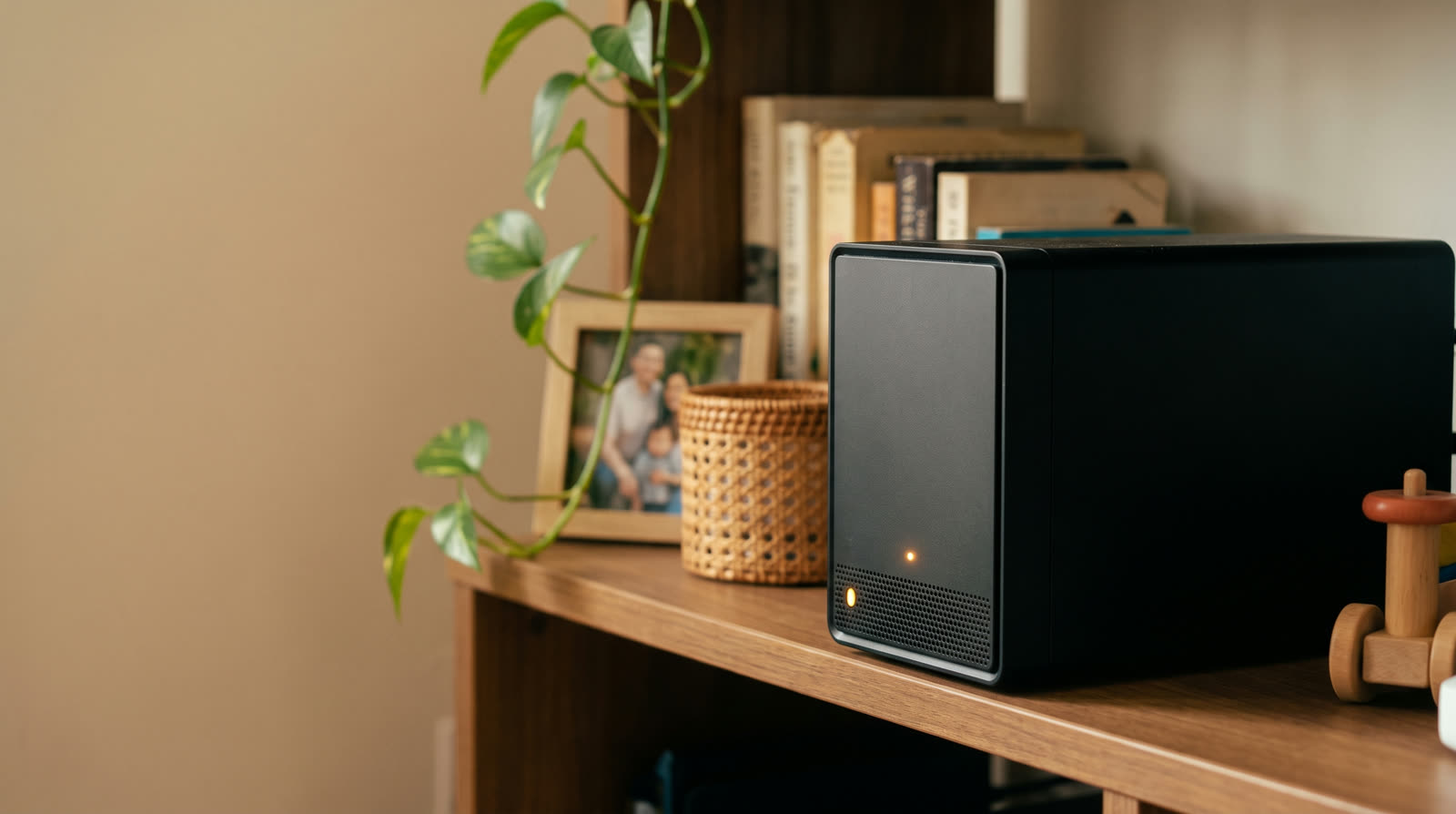
Private cloud storage box sitting on a family living room shelf beside framed photos and books, quietly backing up every phone in the house.
This is the whole thing. One quiet box on a shelf, holding what used to live in someone else's building.

A private photo library for the whole family

Every phone backs up its camera roll automatically — full quality, never compressed — sorted by faces and places. Like the big photo clouds, except the library is yours and nobody scans it.

Every Mac, backed up every hour

A Time Machine destination for every Mac you own — hourly, over Wi-Fi, no drive to plug in. A soldered SSD takes its data to the grave; this box is where that stops.

Your own Drive, with a rewind button

Files sync across your devices — with version history, so Tuesday's mistake restores from Monday.

Stream your own media

Movies, music and home videos stream to your TV, phone or laptop — at home or overseas.

Reach it from anywhere, securely

Encrypted access from the office, a hotel, anywhere — no router surgery, nothing exposed.

A space for every person

A private area for each person, shared folders for everyone — you decide who sees what.

Built for your worst day

Try to break it. Go on.

Every drive fails eventually — that's physics. So your data lives across multiple drives at once: when one dies, nothing stops and nothing is lost. Slot in a replacement and it rebuilds itself.

  • Snapshots every few minutes

    Deleted the wrong thing — or hit by ransomware? Roll the folder back to five minutes ago.

  • A second copy, off-site

    The 3-2-1 rule, automated: three copies, two kinds of storage, one away from home.

  • Locked down from day one

    Two-factor sign-in, per-person permissions, default admin retired — before it leaves our bench.

Live demo — click a drive to "fail" it All drives healthy

Your files are spread across all four drives with built-in redundancy. Click any drive to simulate the day it dies.

That is the day you are buying protection from

It arrives already set up that way: redundancy on, snapshots on, two-factor on, off-site copy advised. Tell us what you store and we will size it and quote it in one message.

From our bench

Six things owners wish they'd known on day one

We set every one of these up for you before delivery — but they're worth knowing, because they're the difference between a box of files and a system you can trust.

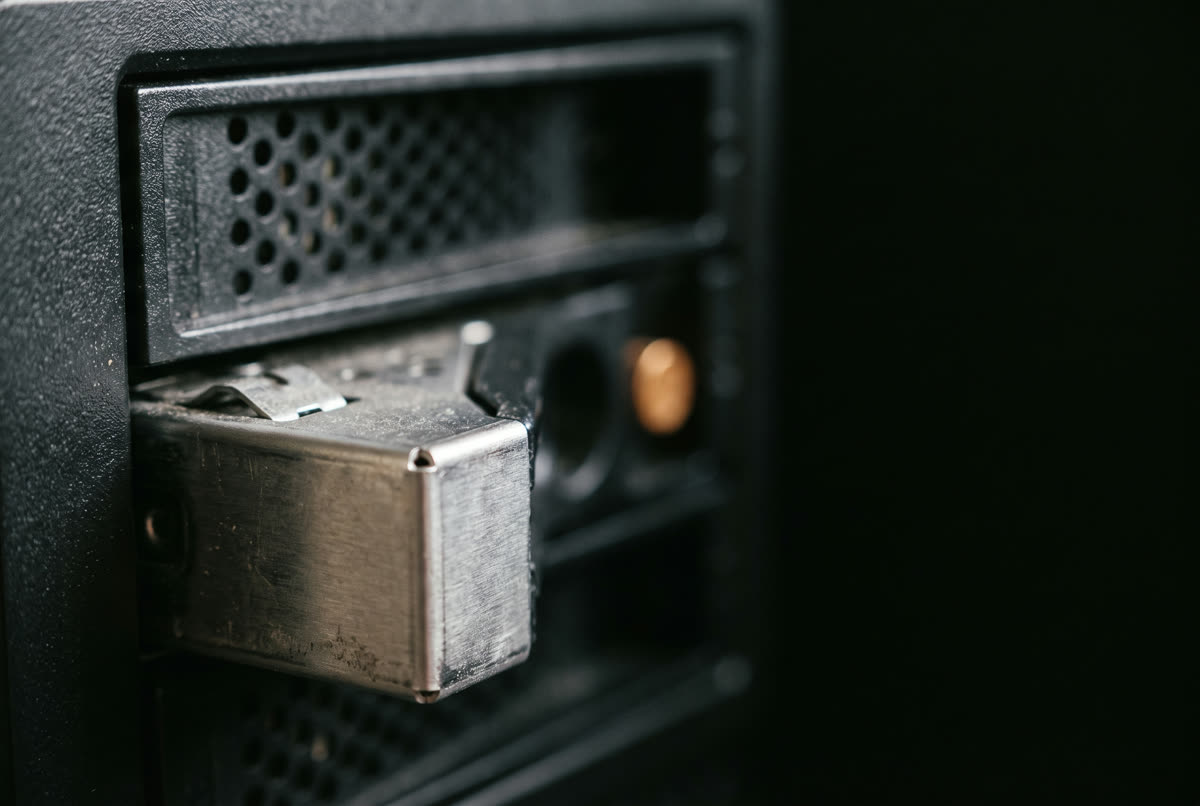
Close-up of a drive tray sliding into a bay of a personal cloud storage NAS, with the amber status light lit.

Turn on snapshots before you need them

Point-in-time copies that cost almost no space, as often as every five minutes. They only protect you from the moment they're on — so it's the first thing we enable.

Redundancy is not a backup

Multiple drives survive a failed drive — not theft, fire or a wrong click. The 3-2-1 rule is what makes data safe, and the box automates it.

Retire the default admin account

Every appliance ships with a well-known admin login, and attackers try it first. We retire it before the box ever touches your network.

Two-factor everything

A code on your phone at sign-in is the cheapest security upgrade there is. On for every account with outside access.

Guests get read-only

Grandma can watch the videos. Grandma can't delete the folder.

Buy for the family you'll have in five years

Photo libraries only grow. Start with the drives you need now and add bigger ones later — nothing wiped, nothing re-done.

Who it's for

One box, three very different owners

The family memory keeper

Fifteen years of photos across four phones, two Macs and a drawer of old drives — finally in one place, backed up, and searchable by face.

  • Every phone backs up itself — the kids' camera rolls included, without anyone remembering to do anything.
  • One cancelled subscription per person — the whole family shares terabytes instead of each paying monthly for gigabytes.
  • Movie nights from your own shelf — home videos and your film collection stream straight to the TV.
  • School projects with a rewind button — version history rescues homework that got "improved" at 11pm.
Done-for-you

You plug it in. We've done the rest.

The difference between buying a box online and buying it from the people who fix Macs for a living: it leaves our bench hardened, configured, and ready for every device you own — wherever in Malaysia you are.

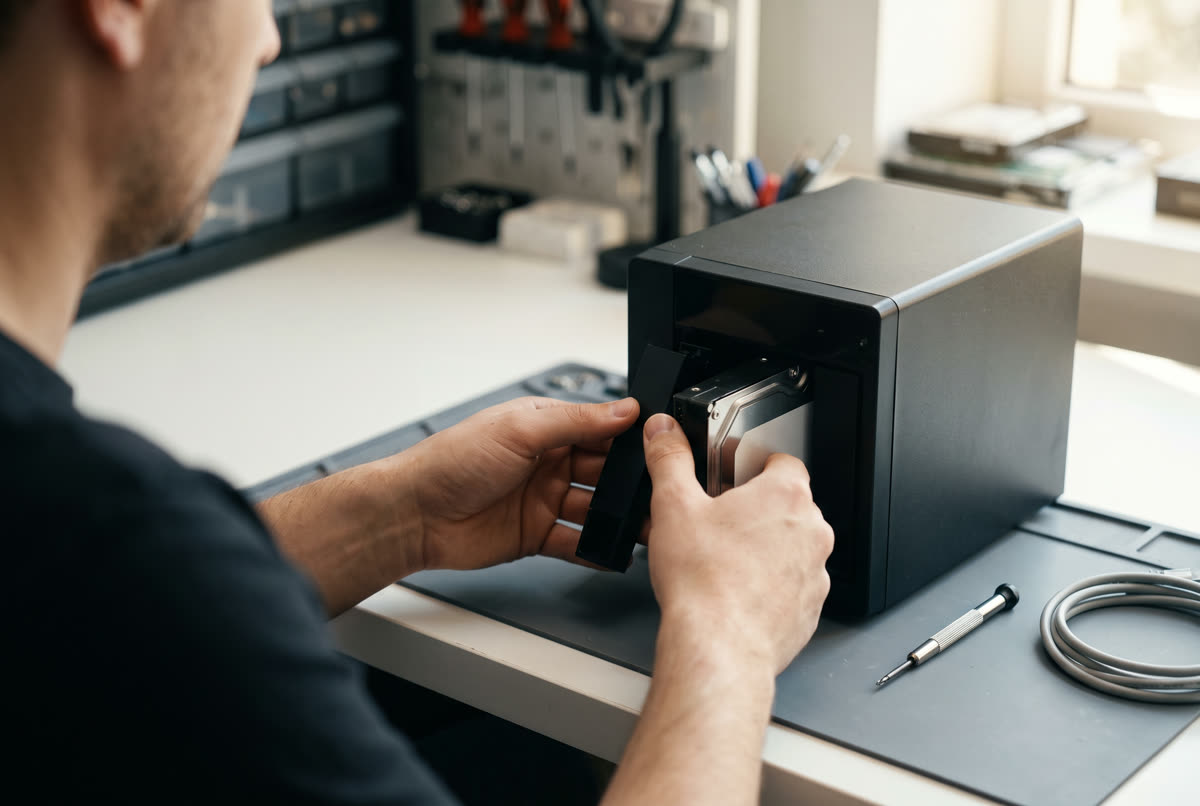
A KissMyMac technician installing a drive into a private cloud storage box on the workbench before delivery.
  1. Step 1

    We size it with you

    A short chat about your photos, devices and plans — then we recommend the right capacity and drive setup. No overselling.

  2. Step 2

    We build and harden it

    Synology box, drives installed, redundancy configured, snapshots on, default admin retired, two-factor enabled — all done on our bench.

  3. Step 3

    Collect it — or we ship it

    Pick it up in Kuala Lumpur, Petaling Jaya or Seremban, or have it delivered anywhere in Malaysia — pre-configured, working the moment it's plugged in.

  4. Step 4

    We connect, teach, and stay reachable

    Time Machine, phone backups, shared folders — set up in person or guided over a call. Years later, drive swaps and questions come back to the same team.

What it costs

Three sizes. One payment. Set up before it reaches you.

Every package is the Synology box, the drives, the configuration and the handover. Beside each one is what renting the same capacity costs over five years, at today's published plan prices.

Starts at RM 5,000+

That covers a complete home setup: the box, the drives, the configuration and the handover. The exact figure depends on how much space you want and which drives go in, and you get it in writing before anything is ordered.

Starter
2 TB

A couple, one or two Macs, a decade of phone photos.

RM  ____One payment, then RM 0 a month

Renting 2 TB for five years: RM 2,694

  • Synology box and drives, installed and tested
  • Redundancy, snapshots and 2FA configured
  • Phone backup and Time Machine set up
  • Handover in person or guided over a call
Get a price
Most families
Family
6 TB

A household: several phones, a few Macs, years of video.

RM  ____One payment, then RM 0 a month

Renting 6 TB for five years: RM 8,994

  • Everything in Starter, at family capacity
  • A private photo library for everyone in the house
  • Media streaming to TVs, tablets and laptops
  • Encrypted access from anywhere, set up safely
Get a price
Studio
12 TB+

Photographers, videographers and small offices with real archives.

RM  ____One payment, then RM 0 a month

Renting 12 TB for five years: RM 17,994

  • Everything in Family, at archive capacity
  • Per-person accounts and shared project folders
  • Off-site copy advice so you meet the 3-2-1 rule
  • Room to grow drive by drive as you fill it
Get a price
Nothing ships unconfiguredIt leaves our bench with redundancy, snapshots, 2FA and remote access already set up.
We set it up with youIn person in KL, PJ and Seremban, or guided over a call anywhere in Malaysia.
The same team afterwardsDrive swaps and questions years later come back to the people who built it.
A straight price firstYou get a written figure before anything is ordered, and we will say so if you do not need one yet.
Questions

Before you ask

A small, silent computer full of storage on your shelf — the tech name is a NAS (network-attached storage). We build ours on Synology hardware, the platform most people who do this for a living settle on. Your devices treat it like the cloud services you know — photo backup, synced files, streaming — except the storage is physically yours: no monthly fee, no company in between.

No — that's why you buy it from us instead of a website. It arrives configured, we connect your devices — in person or guided over a call — and using it feels like any photo or file app. Want something changed? Message the people who set it up.

Yes — we ship nationwide, anywhere in Malaysia. It leaves our bench fully configured, and once it arrives we teach you the rest over a call: you plug in power and network, we connect your devices together. Support afterwards works the same way.

Yes. Your files, photos and media are reachable from anywhere over an encrypted connection, through polished apps on iPhone, iPad, Mac, Windows and Android. We set up remote access the safe way — no router surgery, nothing exposed to the open internet.

Nothing dramatic. Data lives across multiple drives with redundancy — a single failure loses nothing and the system keeps running. Slot in a replacement, or bring it to us, and it rebuilds. Try the demo above.

For small storage, subscriptions win. But at family sizes the math turns fast: a 2 TB cloud plan is about RM 2,694 over five years, a 6 TB plan nearly RM 9,000 — and at the end you own nothing and are still paying. A private cloud is one payment for more space than those plans offer, shared by everyone in the house.

Nobody can promise what a company will charge. What is already on record is that the parts underneath got much more expensive: Gartner forecast DRAM up about 125% and NAND flash up about 234% across 2026, and TrendForce still had contract prices climbing in the third quarter. A 1 TB consumer SSD roughly doubled between late 2025 and early 2026. A subscription price is set by the provider and can be revised; a box you already own cannot be re-priced. Note that this cuts both ways, because a private cloud costs more to build right now too. The difference is you pay once, at a figure you see first.

We will not accuse anyone, and the honest answer is that you cannot verify it either way. Providers differ, some processing runs on your device and some on their servers, policies are updated, and the controls sit in settings that change. The records that would answer the question are held by the company you would be asking. With a private cloud the question does not arise: there is no provider, no terms of service, no policy update, and nothing leaves your house to be read by anything.

For storage, yes — photo backup, file sync and sharing all run from your own box, so most people drop back to the free tier or cancel the plan entirely. Your phone keeps its cloud account for apps and settings; the heavy storage moves home.

Most families start between 4 and 12 TB; studios and offices go bigger. We size it with you — and it grows drive-by-drive, so starting "too small" is solvable, not a mistake.

Own your cloud. We'll do the hard part.

Message us what you'd store — photos, Macs, an office — and we'll recommend the right setup with a straight price. Configured, shipped and supported anywhere in Malaysia by KissMyMac.

Set up by the team behind an Apple Certified Independent Repair Provider