
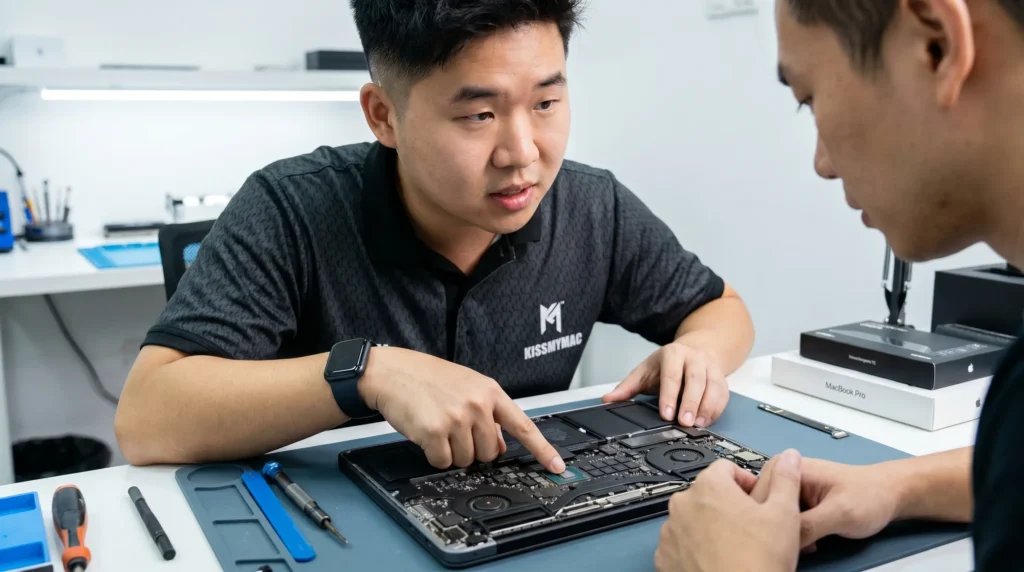
MacBook Won’t Turn On Repair Malaysia: 8-Step Diagnostics System Before You Replace It
By the KissMyMac® Technical Team — Apple Certified Independent Repair Providers | Reviewed by our Lead Technician
TL;DR
- Don’t replace your Macbook before a proper diagnostic. Many “dead” Macs are saved by a failed capacitor or a charging IC fix — repairs that cost a fraction of a new Mac.
- Most “won’t turn on” problems are not the logic board. They’re cables, batteries, charging ports, backlights, or stuck firmware.
- KissMyMac® is an Apple Certified Independent Repair Provider offering FREE diagnosis and No Fix, No Fee on every macbook wont power on case we see.
- Repair price range: RM80 to RM4,000 depending on root cause. Most “won’t turn on” repairs land in the RM280 – RM1,500 zone.
You pressed the power button. Nothing. No chime, no Apple logo, no fan, no nothing. Your screen is just a black mirror staring back at you — and your stomach drops because there’s a half-finished proposal, three years of family photos, and your accounting file sitting inside that aluminium brick.
Before you panic, before you queue at the Apple Store for a quote that starts at RM5,000, and please before you toss it into a drawer and “buy a new one lah” — read this.
Based on what we encountered so far at KissMyMac®, the macbook won’t turn on repair Malaysia problem is one of the top three issues that walks into our shop every single week. And here’s the part most people don’t know: roughly 6 out of 10 “dead” Macbooks we receive are not actually dead. They’re stuck. A flat battery. A bad cable. A corroded charging IC the size of a grain of rice. A backlight that failed while the Mac is actually running fine behind the black screen.
In this article, we’ll walk you through the exact 8-step diagnostic we use at the counter — the same checks our Apple-certified technicians run before they even reach for a screwdriver. None of these steps require you to open your Macbook. None of them void any warranty. All of them help us (and you) figure out whether you’re looking at a quick fix, an RM800 fix, or something more serious.
Let’s get your Mac back to life.
In This Article
- The 8-Step Diagnostic
- Step 1 — Try a Different Charger, Cable, and Outlet
- Step 2 — Listen for Chime, Fan Spin, or Drive Sound
- Step 3 — Force Restart Sequence (Apple Silicon vs Intel)
- Step 4 — SMC and NVRAM Reset (Intel Only)
- Step 5 — External Display Test
- Step 6 — Listen for Fan Spin Only (Battery vs Board)
- Step 7 — Check for Liquid Exposure
- Step 8 — Bring It to KissMyMac®
- Likely Root Causes
- Repair vs Replace
- Cost: What This Repair Actually Costs in Malaysia
- What About My Data?
- Why KissMyMac®?
- Frequently Asked Questions
The 8-Step Diagnostic (Before You Bring It In for Macbook Won’t Turn On Repair Malaysia)
This is the exact diagnostic flow we walk customers through over WhatsApp before they make the trip to KL or PJ. Work through them in order. Each step rules out a different cause and tells us (and you) something useful about what’s actually wrong.
Step 1 — Try a Different Charger, Cable, and Outlet
Sounds too simple. We know. But this is our Number 1 most encountered “fix” — and we mean fix, not joke.
The MagSafe brick, the USB-C cable, the wall socket — any one of these can fail silently. We’ve seen customers convinced their Macbook is dead, only to plug it into a different outlet in the next room and watch it boot up fine.
What to do:
- Swap to a known-working Apple charger (60W, 67W, 96W, 140W — match your Mac’s wattage)
- Try a different USB-C cable (cheap third-party cables die more often than you’d think)
- Plug into a different wall socket
- Leave it charging for at least 15-20 minutes before testing again — a deeply discharged battery sometimes needs to “wake up”
Look at the MagSafe LED (older models) or listen for the chime when you plug in. No light at all? Your charger or charging port might be the problem.
What this rules out: Dead charger, dead cable, flat battery (most common causes of macbook no power).
Step 2 — Listen for chime, fan spin or drive sound
Press the power button once and bring your ear close to the keyboard. We’re not joking — listen.
Do you hear:
- A startup chime (older Macbooks)?
- A fan spinning up?
- A faint hum or click from the speakers?
- The drive (if it’s a 2015 or older model with a HDD)?
If you hear ANY of these sounds but your screen stays black, your Mac is actually turning on — the display is the problem, not the machine. This is hugely important. It’s the difference between a logic board repair (RM450 – RM1,500) and a backlight or screen repair (often RM350 – RM800).
Shine a torch (your phone flashlight works) at the Apple logo on the lid at an angle. If you can faintly see the desktop or login screen behind the dark display, you’re looking at a backlight failure, not a “Mac won’t turn on” problem at all. Read our deep-dive on MacBook Screen Backlight Repair in Malaysia for the next steps.
What this rules out: Display-only failures vs full system failure. Massively narrows down the macbook black screen wont turn on diagnosis.
Step 3 — Force Restart Sequence (Apple Silicon vs Intel)
Before you submit your Macbook Won’t Turn On Repair Malaysia, we will also do additional checks prior to repairing. Sometimes the firmware just gets stuck. A clean force restart clears the slate and gets the Mac back to a known state.
For Apple Silicon (M1, M2, M3, M4, M5 — most Macbooks from late 2020 onwards):
- Press and hold the power button for about 10 seconds until the screen goes fully off
- Release, wait 10 seconds, then press the power button once
For Intel-based Macbooks (2019 and earlier, mostly):
- Press and hold Control + Option (Alt) + Shift + Power button for 10 seconds
- Release all keys, then press the power button once normally
If your Mac wakes up here, congratulations — you just dodged a repair bill. But take note: if it happens repeatedly, the underlying cause may be a software corruption, a failing battery, or a flaky logic board capacitor that’s drifting out of spec. Worth getting checked.
For the official Apple Silicon force restart procedure, see Apple Support: If Your Mac Doesn’t Turn On.
What this rules out: Firmware being stuck, System Management Controller (SMC) frozen on Apple Silicon (integrated, not separate).
Step 4 — SMC and NVRAM Reset (Intel Macbooks Only)
This step ONLY applies to Intel-based Macbooks. On Apple Silicon Macs, the SMC is integrated and resets automatically as part of Step 3 — you don’t (and can’t) do it manually for your Macbook Wont Power On Issue.
For Intel Macbooks WITHOUT T2 chip (2017 and earlier – Touch Bar and Non-Touch-Bar models):
- Shut down the Mac
- Hold Shift + Control + Option + Power for 10 seconds
- Release all keys, then press power normally
For Intel Macbooks WITH T2 chip (2018-2019 Touch Bar models, 2020 Intel) facing Macbook No Power Issue:
- Shut down
- Hold right Shift + left Option + left Control for 7 seconds
- Without releasing, also hold the Power button for another 7 seconds
- Release everything, wait 10 seconds, then press power normally
For NVRAM (works on Intel Macs only):
- Power on and immediately hold Option + Command + P + R for about 20 seconds
- The Mac will appear to restart twice — that means the reset worked
In our experience, an SMC reset fixes a surprising number of macbook unresponsive repair cases on Intel models — especially after macOS updates that left power management in a weird state – which causes a lot of Macbook Wont Power On / Macbook No Power Issue.
Apple documents the full startup key combinations for Intel Macs in Mac Startup Key Combinations. For Macbook Air/Macbook Pro with Macbook No Power / Macbook Wont Turn on, you have a different method of trying to jump start the Macbook.
What this rules out: Power management corruption on Intel models. Useless on Apple Silicon, so don’t waste time on it.
Step 5 – Test with an External Display
If your Macbook Wont Power On still, try this method.
Connect your Macbook to an external monitor or TV (whether HDMI via USB-C adapter, DisplayPort or Thunderbolt – whichever your model supports). Make sure the external display is powered on and is set to the correct input.
Now press the power button on your Mac. Wait 30 seconds.
If the external display shows your desktop, login screen, or even just the Apple logo — your Mac is fully alive. The internal display is the problem. This could be:
- Screen / panel failure
- Backlight failure
- Display flex cable issue (the famous flexgate on certain Macbook Pro models)
- LCD or OLED damage
If the external display shows nothing at all, but you heard sounds in Step 2 — you may have a GPU or display controller fault on the logic board. Both situations are repairable — but they need different parts and different costs.
What this rules out: Internal display vs deeper system failure. Critical for accurate quoting.
Step 6 — Listen for Fan Spin Only (Battery vs Board Test)
This one’s a bit of detective work if your Macbook Wont Power On. Disconnect your charger. Try to turn on the Mac on battery alone.
If nothing happens — plug the charger back in and try again.
If it powers up only with the charger plugged in, your battery is likely flat or has failed completely. A flat battery in a Macbook can fall below the voltage floor where the system simply won’t even attempt to boot until external power is supplied.
Now the next test — with the charger connected, press power and listen.
- Fan spins, but no chime, no display, no Apple logo → likely a logic board issue, often a power management chip (PMIC), CPU power rail fault. We see this almost daily. The good news: this is exactly the type of repair our component-level technicians handle every day — and it’s the kind that AASPs typically refuse to do (they’d quote you a full logic board swap at RM3,000+).
- No fan spin at all, no LED, no nothing → either deep board failure, a shorted power input, or a fully dead battery preventing initial boot. Either way, it needs proper diagnosis.
What this rules out: Battery-only failure vs logic board failure — the two most expensive paths diverge here. For Macbook with battery issue (Lucky you!), check out our MacBook Battery Replacement Malaysia guide.
Step 7 — Check for Liquid Exposure (Even Old Spills)
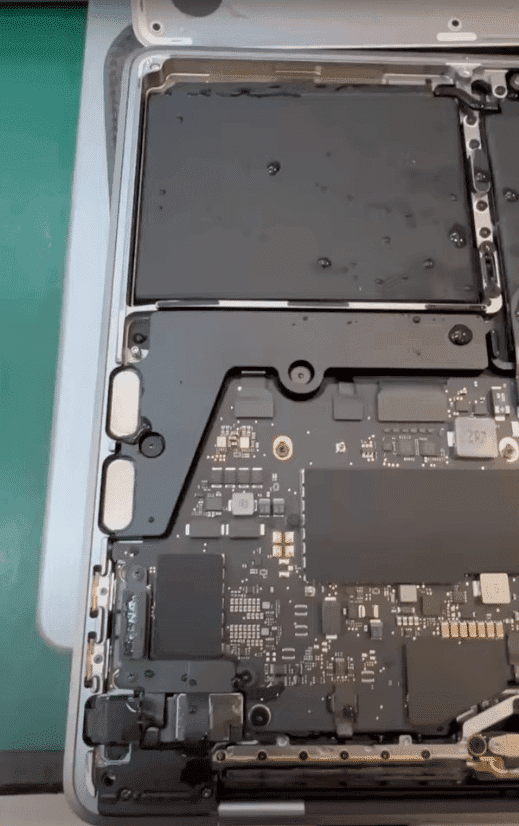
This step is critical and a lot of customers miss it. Open the Macbook and look at the keyboard. Look at the bottom case for any visible droplets, sticky residue, sugar crystals, or discolouration. Smell it — yes, smell it. Liquid damage often has a faint sour or chemical smell long after the spill.
When our customers come in saying that their Macbook wont power on, the first thing we will ask them – Did you spill anything in the last 6 months? Even if it “seemed fine” at the time? Coconut water, milo, beer, juice, even rainwater from a bag — they all leave conductive residue that slowly corrodes the logic board over weeks and months. We get calls and customers coming in months after a spill, swearing the Mac was fine “until last week”.
Do NOT attempt to turn it on repeatedly if you suspect liquid damage. Every power-on attempt with corrosion on the board can short out additional components and turn an RM300 cleanup into a RM1,500 board rebuild.
If liquid is even suspected, jump straight to Step 8 and bring it in immediately. Read our MacBook Water Damage Repair in Malaysia article for the urgent dos and don’ts.
What this rules out: Hidden corrosion on the logic board. Often invisible from the outside but lethal if powered on.
Step 8 — Bring It to KissMyMac® for Component-Level Diagnostic
If you’re at this step, you’ve ruled out the easy stuff. Now you need actual eyes on the hardware.
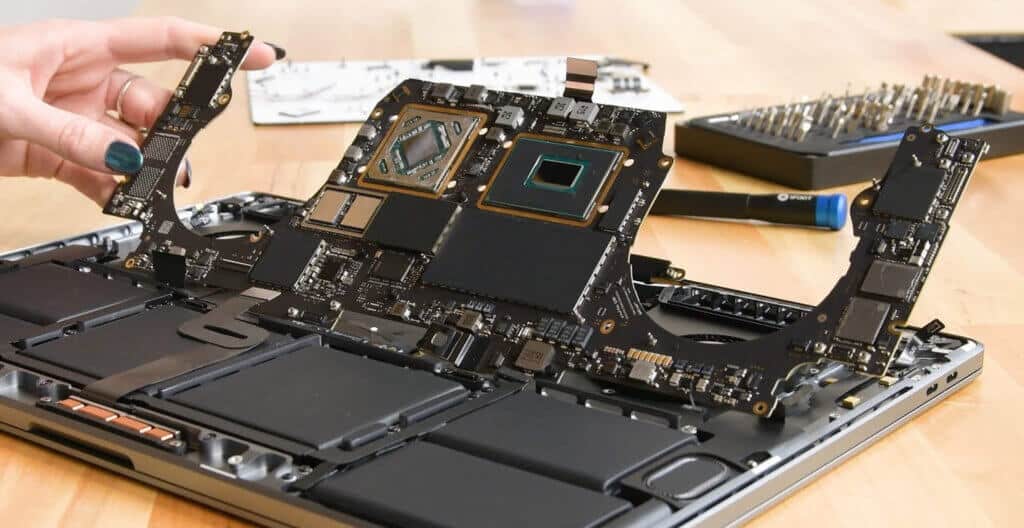
At our KL (Taman Desa), PJ (Damansara Uptown), and Seremban branches, our Apple-certified technicians run a full component-level diagnostic that includes:
- Apple System Diagnostics (ASD) via GSX — the same tool Apple Stores use, and we have access to it as an Apple Certified Independent Repair Provider
- Logic board voltage rail testing — we test each major power circuits to see if any voltages are missing or shorted Visual inspection under microscope — looking for blown capacitors, burnt traces, lifted pads, corrosion due to liquid damage
- Battery health test — full Coconut Battery and ASD battery analysis
- Charging circuit test — checking the USB-C / MagSafe controller and the SMC charging logic
This is what separates a real macbook dead repair from a “we tried, we don’t know lah” shop. We don’t guess. We measure. Facts Tell, Story sell.
The diagnostic itself is FREE — no commitment, no obligation. You get a clear written quote, a timeline, and the choice to proceed or not.
Likely Root Causes (What’s Actually Wrong With Your Mac)
After 10+ years of doing this, we’ve categorised the macbook won’t turn on repair Malaysia cases into a rough percentage breakdown. Based on cases seen at KissMyMac® service counters across our KL, PJ, and Seremban branches from 2015 to present:
| Likely Cause | % of Cases We See | Typical Fix |
|---|---|---|
| Flat or failed battery | ~25% | Battery replacement |
| Charging port / charging IC fault | ~15% | Port replacement or IC reflow |
| Logic board (PMIC, CPU rail, capacitor) | ~25% | Component-level Logicboard repair |
| Screen / backlight failure (Mac is actually fine) | ~15% | Backlight or screen replacement |
| Liquid damage / corrosion | ~10% | Ultrasonic clean + logicboard repair |
| Software / firmware corruption | ~5% | macOS reinstall, sometimes recoveryOS via second Mac |
| Stuck on Apple logo (boot failure) | ~5% | Often SSD or T2/Apple Silicon Boot ROM-related |
The macbook stuck on apple logo cases especially deserve their own paragraph. If your Mac powers on, shows the logo, makes the progress bar jump halfway — and then freezes or restarts in a loop — you’re not looking at a “won’t turn on” issue. You’re looking at a macbook boot failure, often related to corrupted system files, a failing SSD (on older models with replaceable SSDs), or a Boot ROM/T2 chip issue. The diagnostic path is different and the fix is different. Bring it in either way — we’ll figure out which it is.
Repair vs Replace — Don’t Bin a Mac Before Diagnostic When Your Macbook Won’t Power On
Here’s the part Apple’s “just buy a new one” approach doesn’t tell you.
Many “dead” Macs we receive that customers say my Macbook Wont power on – are saved by repairs that cost a tiny fraction of what a replacement Mac would cost:
- A failed charging IC (the chip that manages USB-C power negotiation). We replace it with micro-soldering. Total repair cost typically RM650 – RM1,500. Mac comes back to life.
- A single battery — repair cost RM350 – RM950. Mac comes back to life.
- A failed MagSafe board/charging port on certain Macbook Pro 2020 onwards models — RM350 – RM700. Mac comes back to life.
Compare that to spending RM7,000 – RM15,000 on a new Macbook. The math is brutal. And for what — because someone told you it was “not worth fixing”?
Our honest rule of thumb: if the Macbook Wont Power On repair quote is less than 40-50% of a replacement Macbook’s price, repair almost always wins. We’ll tell you upfront if your case is the exception. We’d rather lose a job than have you spend money you shouldn’t.
Cost Section: What “MacBook Won’t Turn On” Repair Actually Costs in Malaysia
Pricing depends on the root cause we find during the FREE diagnostic. Here’s the honest range we work with:
| Repair Path | Typical Price Range (RM) |
|---|---|
| Diagnostic | FREE |
| Battery replacement | RM350 – RM950 |
| Charging port / MagSafe board replacement | RM350 – RM900 |
| Charging IC / power IC micro-soldering | RM650 – RM1,500 |
| Logic board component-level repair | RM650 – RM1,500 |
| Liquid damage cleanup + component repair | RM450 – RM2,000 |
| Full logic board (rare — only if board is genuinely unrecoverable) | RM2,000 – RM5,000 |
Disclaimer: These ranges reflect typical KissMyMac® pricing for a wide variety of Macbook models from 2011 onwards. Final pricing always depends on your specific model, the exact failed component, and parts availability. Your written quote is provided after the FREE diagnostic — and our No Fix, No Fee guarantee means if we can’t get your Macbook running, you don’t pay a single cent. Pricing is in MYR and is subject to change.
For comparison, Apple’s typical replacement-based quotes for the same problems often start at RM3,500 and can exceed RM7,000+ for newer Macbook Pro models — because they swap entire assemblies instead of repairing components.
What About My Data?
This is the question we hear most after pricing. And we get it — for most of our customers, the Mac is replaceable, but the data on it is not.
Here’s the reassurance: in the overwhelming majority of macbook wont turn on cases, your data is fine. The data lives on the SSD. As long as the SSD itself isn’t physically damaged (rare unless there’s severe liquid contamination or burned chips), your photos, files, and folders are intact and waiting.
Our component-level repair approach means we fix the failed part — battery, charging IC, capacitor — and the SSD never gets wiped, replaced, or even disconnected longer than necessary. Not a single folder lost.
If — in a worst-case scenario — the SSD itself has a physical fault (this is uncommon but happens, especially on Macbook Air and Macbook Pro 2018 models onwards with soldered SSDs that suffer NAND wear), then there’s no way to recover the data unless recovering the logicboard.
For most “won’t turn on” cases, you walk out with your Mac running and every byte of your data exactly where you left it.
Why KissMyMac® for MacBook Won’t Turn On Repair in Malaysia
We have more than enough experience repairing Macbook Wont Power on issue, and we could list 20 reasons but here are the ones that actually matter when your Mac is dead and you need it back:
- Apple Certified Independent Repair Provider — verified through Apple’s official Independent Repair Provider Program. Same diagnostics tools, same access to genuine Apple parts as Apple Stores. You can verify our repair provider status directly on Apple’s website.
- Component-level logic board repair — we don’t just swap boards at RM3,000+. We trace the fault to the specific failed chip, capacitor, or trace and repair it. This is the core of what makes us different.
- Micro-soldering expertise — our technicians work with 0.4mm components, hot air rework stations, and proper microscopes. This is what’s needed for charging IC, PMIC, and BGA-level repairs.
- FREE diagnosis — bring it in or send via courier. We diagnose it, quote you, and you decide. No hidden fee.
- No Fix, No Fee — if we can’t bring your Mac back to life, you don’t pay anything for the attempt. We can offer this because our diagnostics are accurate before we start.
- Three locations — Taman Desa (Kuala Lumpur), Damansara Uptown (Petaling Jaya), and Seremban (Negeri Sembilan). Walk-in or WhatsApp.
- Your data is safe — we repair the hardware fault without touching your files. Confidentiality is part of our IRP requirements.
- 10+ years on the bench — we’ve seen most failure modes hundreds of times. Yours is rarely a first.
Frequently Asked Questions
Why won’t my MacBook turn on even when plugged in?
This is one of the most common macbook wont power on situations we see. It usually points to one of three things — a failed charger or cable (test with another known-good charger first), a deeply discharged battery that needs 15-20 minutes of charging before it’ll respond, or a charging circuit fault on the logic board (commonly a damaged USB-C port, a failed charging IC, or a blown capacitor on the power input rail). Our 8-step diagnostic above walks you through the home checks; for anything beyond, KissMyMac® offers FREE diagnostic at our KL, PJ, and Seremban locations.
How do I force restart a MacBook that won’t turn on?
For Apple Silicon Macs (M1, M2, M3, M4, M5), press and hold the power button for 10 full seconds, release, wait 10 seconds, then press once. For Intel-based Macbooks, hold Control + Option (Alt) + Shift + Power for 10 seconds, then press power normally. If neither works, the issue is hardware-related and needs a professional diagnostic — don’t keep mashing the button, especially if you suspect a liquid spill or recent drop.
How much does it cost to fix a MacBook that won’t turn on in Malaysia?
It depends entirely on what’s actually wrong. At KissMyMac®, the diagnostic itself is FREE. Most macbook wont turn on repair Malaysia cases land between RM350 and RM1,500 — battery replacements from RM350, charging port fixes from RM350, and component-level logic board repairs typically RM650 to RM1,500. Apple Authorised Service Providers usually quote RM3,000 to RM7,000 because they replace whole assemblies instead of repairing components. Our No Fix, No Fee policy means you only pay if we successfully bring your Mac back.
Can a completely dead MacBook be repaired?
In our experience, yes — most of the time. Roughly 8 out of 10 “completely dead” Macbooks we receive are recoverable. Common saves include a failed charging IC, a blown capacitor, a failed MagSafe board, or even just a deeply discharged battery that needs a slow trickle charge to wake up. The cases where we can’t recover are usually severe liquid damage that’s been left untreated for months, or fire/heat damage that’s destroyed multiple chips. Even then, our FREE diagnosis tells you upfront — and No Fix, No Fee means a failed attempt costs you nothing.
My MacBook is stuck on the Apple logo and won’t boot — is that the same problem?
Not quite. If your Mac shows the Apple logo, it’s actually turning on — what you have is a macbook boot failure, not a “won’t turn on” situation. The diagnostic path is different. It can be caused by macOS corruption (often fixable via Recovery Mode or Internet Recovery), a failing or worn SSD on older models, a T2 or Apple Silicon Boot ROM issue, or sometimes a logic board fault that interferes with the boot process. Bring it in — we’ll run Apple System Diagnostics and tell you which of the above it actually is.
Is my data safe if my MacBook won’t turn on?
Almost always yes. The data lives on the SSD, and the SSD is rarely the part that fails when a Mac won’t turn on. Our component-level repair approach means we fix the actual failed component (battery, charging IC, capacitor) without touching your storage. In the rare case that the SSD itself has failed — usually after severe liquid damage or heavy use on older 2018-2020 soldered-SSD models — then the data is not salvageable.
Should I just buy a new MacBook instead of repairing this one?
Honestly — usually not. We’ll tell you straight: if the repair quote is under 40-50% of the replacement Macbook’s price, repair almost always wins, and you keep all your data and your familiar setup. A RM800 charging IC repair extending your Mac’s life by 3-5 more years is a far better investment than RM7,000+ on a new Macbook just because someone told you it’s “not worth fixing”. The exceptions are macs with multiple severe failures, heavily liquid-damaged 2016-2017 butterfly-keyboard models, or anything pre-2015 — for those, replacement may genuinely make more sense, and we’ll tell you upfront.
Can I bring my dead MacBook to KissMyMac® without an appointment?
Yes — walk-ins are welcome at all three branches (Taman Desa KL, Damansara Uptown PJ, Seremban). We do recommend WhatsApping us first though, especially if it’s a complex case or if you’re travelling from far. Send a quick message describing what happened (“dropped it”, “spilled coffee”, “just stopped working”) and our team can give you a rough idea before you make the trip — and if needed, we can also arrange courier pickup for customers outside the Klang Valley.
Ready to Bring Your MacBook Back to Life?
If you’ve worked through the 8 diagnostic steps and your Mac is still unresponsive — don’t bin it, don’t pay Apple’s replacement quote, and please don’t open it yourself.
Bring it to KissMyMac®, Malaysia’s Apple Certified Independent Repair Provider, with over 10 years on the repair bench and three locations across Kuala Lumpur, Petaling Jaya, and Seremban.
- FREE Diagnosis — we’ll tell you exactly what’s wrong before you commit to anything
- No Fix, No Fee — if we can’t bring it back, you don’t pay
- Component-level repair — RM450 – RM1,500 typical, vs RM3,000+ at AASPs
- Your data stays intact — not a single folder lost
- 24-72 hour turnaround for most cases
WhatsApp us today with your Macbook’s Model and a description of what happened. Or just walk in – we’ll take a look. No commitment, no pressure, no upselling.
A working Mac is a happy Mac, and a happy Mac means you can get back to what actually matters.
Authored By:
I am the KissMyMac® Malaysia Technician, an Apple Certified Technician at KissMyMac with More than 8 Years Of Experience In The Apple Repair Industry. We specialize in Macbook Repair & Upgrade, iMac Repair, iPhone Repair, iPad Repair in KissMyMac. We have dealt with more than 30,000+ Apple repairs throughout our years working in this industry, from a small repair shop to where we are now with 3 branches across Malaysia – KissMyMac Kuala Lumpur, KissMyMac Petaling Jaya, and KissMyMac Seremban