
MacBook Screen Cracked? Replacement in Malaysia
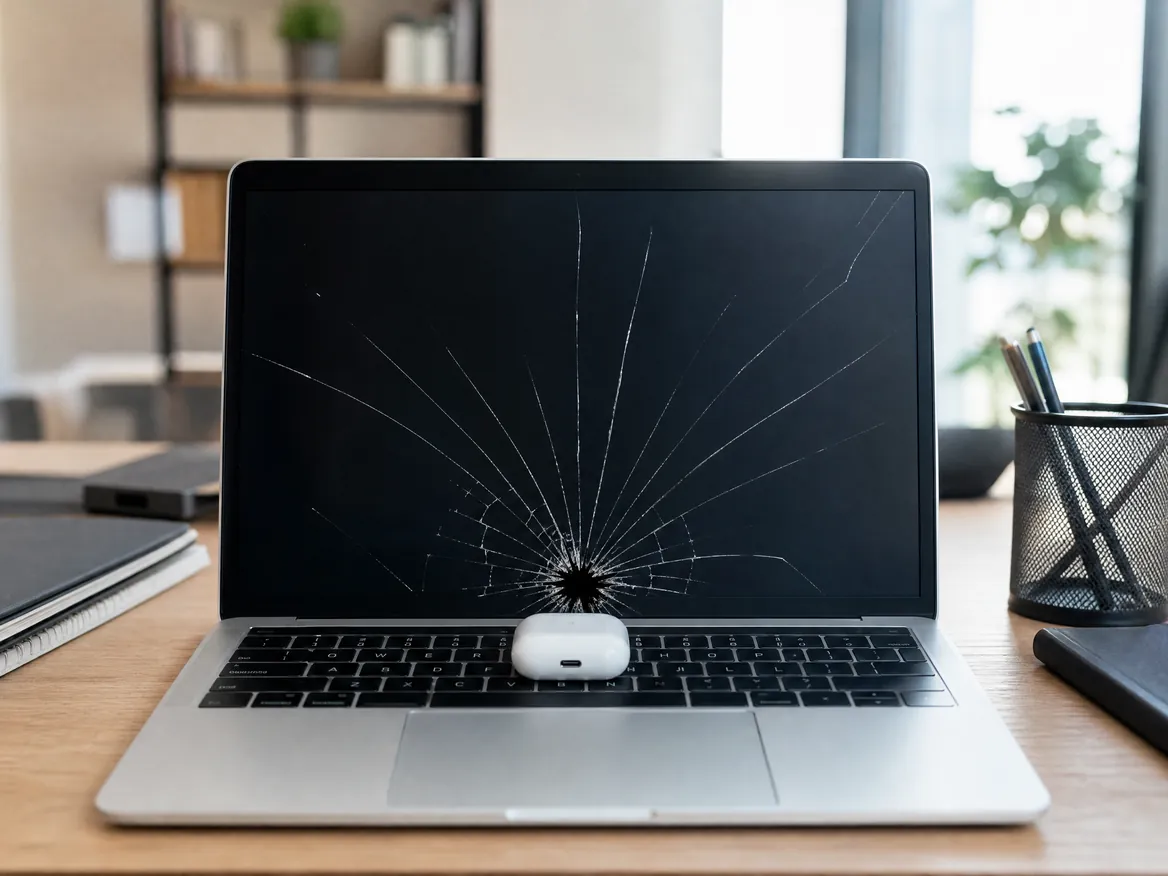
A MacBook screen that cracked “by itself” almost always had help: something left on the keyboard when the lid closed, pressure in a packed bag, or being lifted by one corner. A cracked MacBook screen can’t be repaired, only replaced, and the crack spreads every time you open the lid. We replace cracked screens on every MacBook Air, MacBook Pro and MacBook Neo in KL, PJ and Seremban, from RM550, usually the same day, with up to 12 months warranty. If the lid is straight, an LCD-only replacement costs 30 to 50% less.
Apple Certified Independent Repair Provider. Free diagnosis, and you pay nothing if we can’t fix it. Part of our MacBook Screen Replacement Service.
Which MacBook is it?
What does the crack look like?
MacBook Screen Cracked: the short answer
Replace it, it can’t be repaired
There’s no glue, film or polish that fixes a cracked LCD. The panel or the whole display is replaced, and that’s the only fix that lasts.
“By itself” means hidden pressure
MacBook screens don’t crack from nothing. Something on the keyboard, a packed bag, or lifting it by the screen puts force on the thin display.
From RM550
RM550 to RM4,000 depending on your model, and the MacBook Neo is from RM1,200. LCD-only costs 30 to 50% less when the lid is straight. Full price list on our MacBook screen replacement page.
Same day, often in 2 hours
Most cracked MacBook screens are replaced the same day when the screen is in stock, many within 2 hours.
Don’t wait
A crack spreads with every open and close. Lines, black patches and loose glass come next, and a damaged backlight costs more to fix.
Up to 12 months warranty, No Fix No Pay
Free check first. Every screen carries up to 12 months warranty, and if we can’t fix it, you pay nothing.
Why did my MacBook screen crack by itself? 6 real reasons
Something on the keyboard
The most common one by far. Earbuds, a pen, a charger plug, a paperclip, even a folded piece of paper. Close the lid and the keyboard presses it into the screen.
A packed bag
A MacBook squeezed between books or a water bottle in a full bag gets pressure on the lid all day. The crack shows up when you open it.
Holding it by the screen
The base is heavier than the screen. Lifting the MacBook by the lid or one corner bends the display and puts your fingers’ pressure on the LCD.
Drops and knocks
The aluminium body survives a small drop, but the force still travels into the display. A knock on the lid can crack the LCD with no mark outside.
Pets
Cats and dogs are curious about the glowing screen. A bite or a paw landing hard is enough to crack it. Keep them away while you work.
Wiping too hard
The outer glass is tough, but the LCD behind it is fragile. Pressing hard on one spot while cleaning can crack it from inside. Wipe gently with a soft cloth.
Are MacBook screens fragile? What breaks easily and what doesn’t
The display is very thin
A MacBook display is only a few millimetres thick, and the LCD inside is a thin sheet of glass. That keeps the MacBook light, but it can’t take point pressure.
Glass outside, fragile LCD inside
The cover glass handles normal use. The LCD behind it cracks under focused pressure, which is why a screen can crack inside while the glass looks fine.
Newer means thinner
MacBook Air and MacBook Pro from 2016 onward, including M1 to M5, have thinner lids than older models, so pressure cracks happen more easily.
Drops are rarely the cause
Many cracked MacBook screens we see had no drop at all. The cause was pressure from something between the keyboard and the screen.
Internal crack vs glass crack
If you can feel the crack, the glass is broken too. If the surface is smooth but there’s a dark patch or lines, the LCD cracked inside. Both are fixed with a new panel or display.
Cracked vs coating wear
Patches where the screen coating is peeling off are not a crack. That’s coating wear, sometimes called staingate. Read about it in our MacBook staingate guide.
How to stop your MacBook screen cracking again
Check the keyboard first
Before you close the lid, look for earbuds, pens, cards and crumbs. It takes one second.
No keyboard covers
A keyboard cover pressed against the screen leaves marks and adds pressure. Use a hard shell case for the body, not the keyboard.
Hold it by the base
Lift and carry the MacBook by the body, never by the screen or one corner of the lid.
Give it its own sleeve
Carry it in a padded sleeve or a bag compartment, not loose between books and bottles.
Open it from the middle
Open the lid with one finger at the centre of the front edge, not from a corner.
Keep pets away
Don’t leave an open MacBook where a cat or dog can reach it.
Cracked MacBook screen replacement price in Malaysia
Replacing a cracked MacBook screen costs RM550 to RM4,000 at KissMyMac®, depending on your model and whether you choose an LCD-only replacement or a full Genuine Apple display. The MacBook Neo is from RM1,200. More details on our MacBook screen replacement page.
Prices updated October 2026. Final price confirmed after the free check.
Before you carry it in
Three things that stop the crack getting worse.
- Back up now, while the screen still shows a picture
- Don’t press on the crack, and don’t use tape or glue
- Close the lid gently and carry it in a padded sleeve
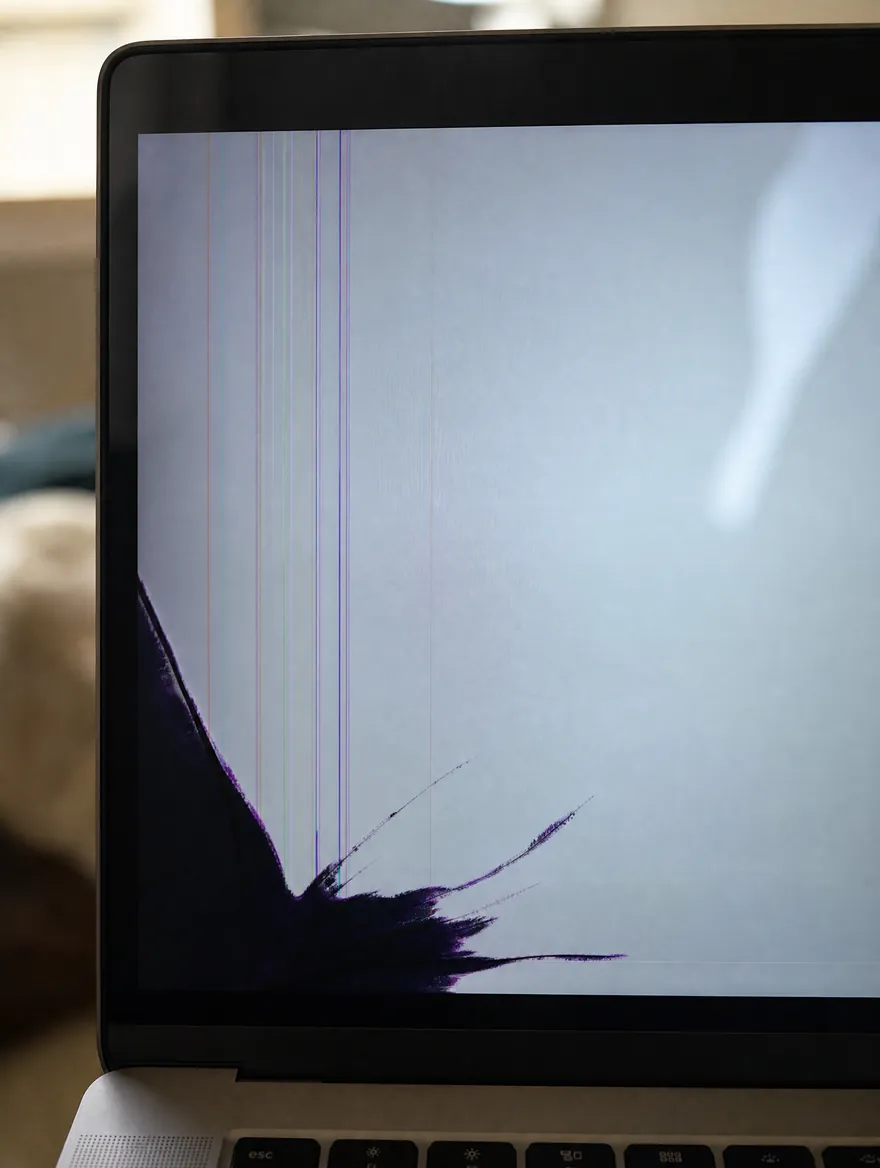
Signs the crack is spreading
Any of these and it’s time to replace it.
- Crack lines getting longer
- Black or purple patches growing
- New vertical or horizontal lines
- Flickering around the crack
- Part of the screen gone black
- Glass chips or sharp edges
- Lid bent or dented
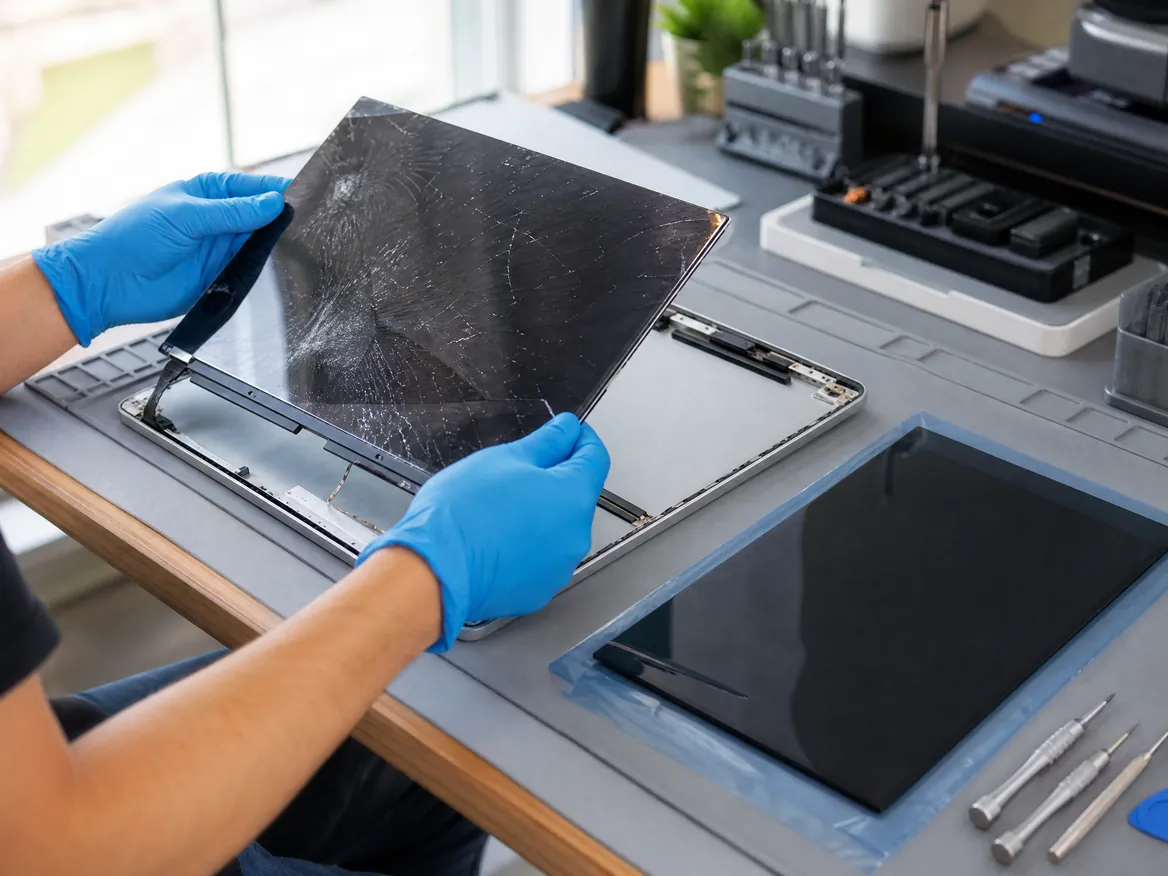
How the repair works
- Bring your MacBook to any of our three branches.
- We check it for free and tell you the price and the time.
- You say yes before we start.
- We repair it, test it and message you when it’s ready.
Apple Certified Independent Repair Provider
Apple-trained technicians, Genuine Apple parts and Apple’s own diagnostic tools on every MacBook repair.
KissMyMac or an Apple service centre?
| KissMyMac® | Apple Authorised Service Centre | |
|---|---|---|
| Genuine Apple parts | Yes | Yes |
| Apple-certified technicians | Yes | Yes |
| Diagnosis | Free, always | May be charged |
| Turnaround | Same day, 2 to 5 hours | 3 to 7 working days |
| No Fix, No Pay | Yes | No |
| Apple warranty after repair | Stays intact | Stays intact |
| Repair warranty | Up to 12 months | 90 days |
| Walk-ins | Yes | Appointment needed |
Cracked MacBook screen repair near you
Walk in, no appointment needed. Monday to Friday 11am to 7pm, Saturday 11am to 3pm.
Taman Desa, Kuala Lumpur
Lot 203A, Second Floor, Faber Towers, Jalan Desa Bahagia, 58100 Kuala Lumpur
Areas we serve from here
Damansara Uptown, Petaling Jaya
98M, Jalan SS 21/39, Damansara Utama, 47400 Petaling Jaya
Areas we serve from here
Seremban 2, Negeri Sembilan
No. 56-1, Jalan S2 B18, Pusat Dagangan Seremban 2, 70300 Seremban
Areas we serve from here
Other MacBook repairs
Same branches, same free check, same No Fix, No Pay.
- MacBook Screen ReplacementCracked, lines, black screen, stage light
- MacBook Battery ReplacementService Recommended, drains fast, swollen
- MacBook Keyboard ReplacementSticky, repeating or dead keys, missing keycap
- MacBook Trackpad ReplacementWon’t click, cursor jumps, cracked trackpad
- MacBook Touch Bar ReplacementFlickering, blank or white Touch Bar
- MacBook Touch ID ReplacementFingerprint not recognised, failed to enroll
- MacBook Logicboard RepairWon’t turn on, won’t charge, no display
- MacBook Speaker ReplacementCrackling, buzzing or no sound
- MacBook Water Damage RepairSpilled water, coffee or tea on it
- MacBook SSD UpgradeStorage full, slow Intel MacBook
- MacBook RAM UpgradeSlow with many apps open, Intel MacBook
- All MacBook repairs and upgradesEvery MacBook Air and MacBook Pro we repair
Questions people ask
Why did my MacBook screen crack by itself?
It almost never cracks from nothing. The usual cause is pressure: earbuds, a pen or a card left on the keyboard when the lid closed, a packed bag, or lifting the MacBook by the screen. The LCD is thin and cracks under point pressure, sometimes with no mark on the outside.
Can a MacBook Air screen crack by itself?
It can look that way, but there’s always a cause. MacBook Air lids are thin, so a small object on the keyboard or pressure in a bag is enough to crack the LCD when the lid is closed.
Do MacBook screens break easily?
They handle normal use well, but they don’t like point pressure. The display is only a few millimetres thick, so anything between the keyboard and the screen, or a knock on the lid, can crack it.
Can a cracked MacBook screen be repaired without replacing it?
No. There’s no film, glue or polish that fixes a cracked LCD. The LCD panel or the full display has to be replaced.
What is an internal crack in a MacBook screen?
The outer glass is smooth, but the LCD layer behind it has cracked. It shows as a dark ink-blot patch, lines or dead areas. It spreads over time and is fixed with a new LCD panel or display.
How much does it cost to fix a cracked MacBook screen in Malaysia?
At KissMyMac it’s RM550 to RM4,000, depending on the model. MacBook Air 11″ and 13″ (2010 to 2017) start at RM550, MacBook Air M2 to M5 is RM1,300 to RM2,900 (13″) or RM1,600 to RM4,000 (15″), MacBook Pro 14″ and 16″ M1 to M5 is RM1,900 to RM4,000, and the MacBook Neo is from RM1,200. The final price is confirmed after a free check.
Can you replace only the LCD on a cracked MacBook screen?
Yes, on every MacBook from Intel to M5, if the lid is straight and only the LCD is damaged. It costs 30 to 50% less than a full display. If the lid is bent, the full display is replaced.
Is it safe to keep using a MacBook with a cracked screen?
For a short time, if the glass isn’t loose. But the crack spreads with every open and close, can cut you if glass chips off, and can damage the backlight. Back up and get it replaced soon.
Will a crack in my MacBook screen spread?
Yes. Opening and closing the lid flexes the display, and heat makes it worse. A small crack usually turns into lines and black patches within days or weeks.
There’s a hairline crack on my MacBook Pro screen. Should I fix it?
Yes, while it’s small. A hairline crack still spreads, and replacing it early avoids damage to the backlight and the cable.
How long does cracked MacBook screen replacement take?
Same day when the screen is in stock, often within 2 hours. We message you when it’s ready.
Will I lose my data?
No. A screen replacement doesn’t touch your storage or macOS. Back up anyway if the screen still works.
Do you give a warranty?
Yes, up to 12 months on every screen we fit, from an Apple Certified Independent Repair Provider.
Do I need an appointment?
No. Walk in to any branch. Bring your charger so we can test it with you.