
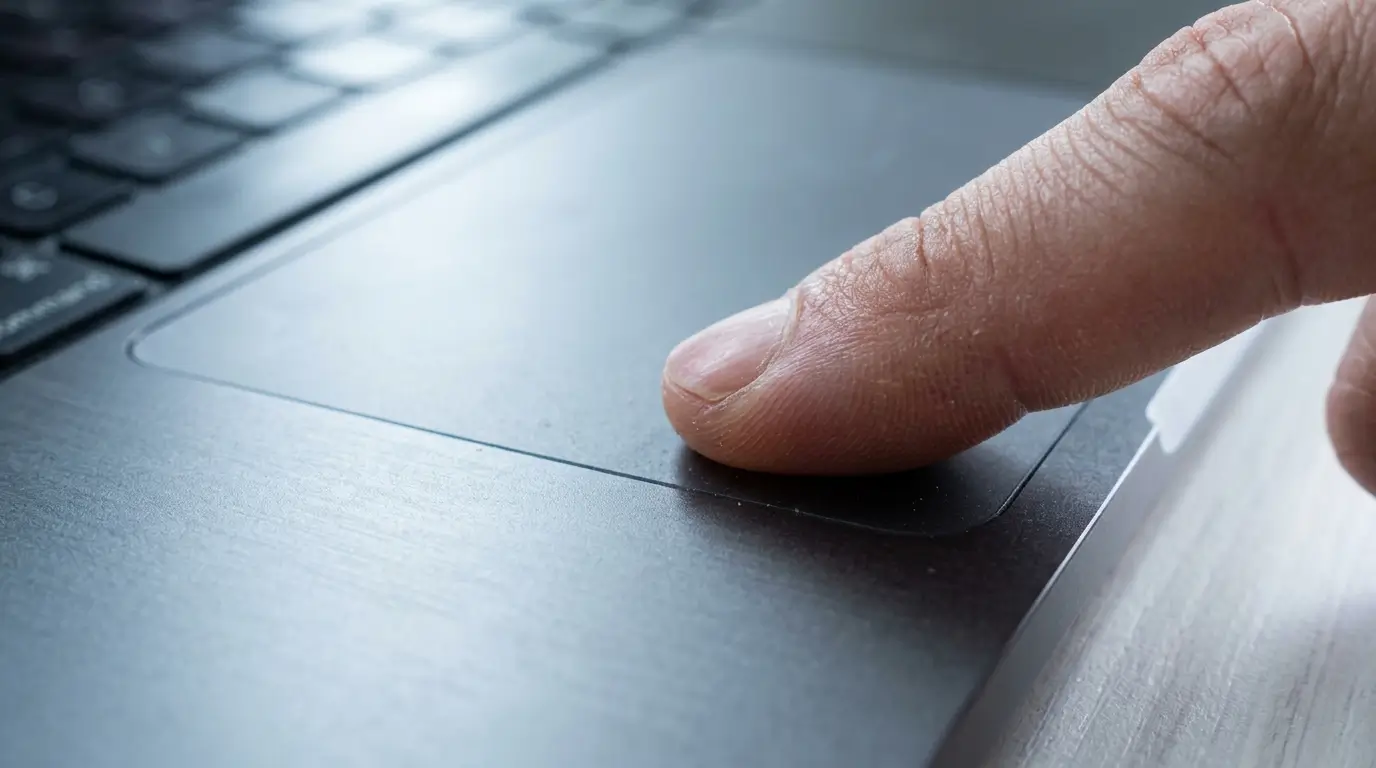
TL;DR — Key Takeaways
– The #1 cause of a MacBook trackpad that won’t click is a swollen battery underneath it. The expanding battery physically pushes the trackpad upward from below, jamming the click mechanism. We see this every single week at the bench.
– A swollen battery is not just a trackpad problem — it’s a fire risk. If your MacBook is wobbling on a flat table, the keyboard is rising, or the trackpad already feels raised, stop using the device and bring it in.
– Software issues rarely cause a dead-feeling trackpad. A jumpy cursor or ghost clicks can sometimes be software, but a click that won’t register is almost always hardware.
– Macbook trackpad repair in Malaysia at KissMyMac® ranges from RM250 to RM750 depending on the model and whether it’s a trackpad-only repair, trackpad + cable, or a battery + trackpad combo.
– FREE diagnosis. No Fix, No Fee. As an Apple Certified Independent Repair Provider, we use Apple Diagnostics Tools and genuine batteries — and we dispose of swollen batteries safely.
If your trackpad is not clicking, jumpy, or completely unresponsive, this guide will help you identify which of the 5 causes is yours — and what proper macbook trackpad repair Malaysia actually looks like.
WhatsApp KissMyMac® with a short video of the issue and we’ll give you an initial assessment before you even come in.
Table of Contents
Why MacBook Trackpads Fail (And Why It’s Rarely Just “The Trackpad”)
Let us be honest about something we tell every customer who walks in with a misbehaving trackpad: There is a 50% chance that the trackpad is the actual problem. Sometimes, it can be due to the MacBook battery that is sitting under the trackpad.
Based on what we encountered so far at KissMyMac®, when a customer says “my MacBook trackpad is not clicking” or “my trackpad is jumpy”, 5 times out of 10 will require a MacBook Trackpad Replacement. Something else underneath, beside, or connected to it is causing the symptom.
That’s why throwing a new trackpad at the issue without a proper diagnosis is one of the fastest ways to overpay for a repair that doesn’t fix anything. We’ve had customers come in after another shop replaced their trackpad twice and the issue came back within a week — because the actual culprit (a swollen battery) was never addressed.
Before any macbook trackpad replacement, you need to know what’s really wrong. Here are the 5 causes we see at the repair counter, ranked from most common to least.
The 5 Causes of MacBook Trackpad Failure
Cause #1: Swollen Battery Pushing Up From Underneath (The Silent Killer)
This is our number 1 most encountered cause of a MacBook trackpad that won’t click — and it’s the one most users don’t see coming.
Here’s what’s happening inside your MacBook: the battery sits directly underneath the trackpad assembly. On every modern Macbook Air and Macbook Pro from 2015 onwards, there’s only millimetres of space between the top of the battery and the bottom of the trackpad. When a lithium-ion battery ages or develops a fault, it can swell — sometimes slowly over months, sometimes faster.
As the battery expands, it physically pushes the trackpad upward from below. The click mechanism — which depends on a tiny gap between the trackpad and the chassis to register a press — gets compressed. At first the click feels stiff. Then it becomes inconsistent. Eventually, it stops clicking entirely. On Force Touch trackpads, the haptic feedback may also become weak or stop firing as the trackpad is being forced up, causing the haptic sensor to go faulty.
In our experience, this is the #1 reason customers search for MacBook trackpad swollen battery problems online — the symptoms feel like a trackpad failure, but the trackpad itself is perfectly fine.
The fix is not a new trackpad. The fix is a new MacBook battery. Once we replace the swollen cell, the trackpad usually returns to full function — no trackpad replacement needed. (More on cost combinations further down.)
Since this so often turns into a battery job, here’s where to go next:
– MacBook Battery Replacement Service — our full battery repair service page
– MacBook Battery Is Dying — 6 Warning Signs — the symptoms to check for
– Free MacBook Battery Health Check — test your battery in 60 seconds
If your MacBook is wobbling on a flat surface, the bottom case is bulging, or you can see the trackpad sitting visibly higher than the surrounding palm rest — stop reading and book a diagnosis. We’ll explain why in Section 2 below.
Cause #2: Trackpad Cable Damage or Liquid Spill
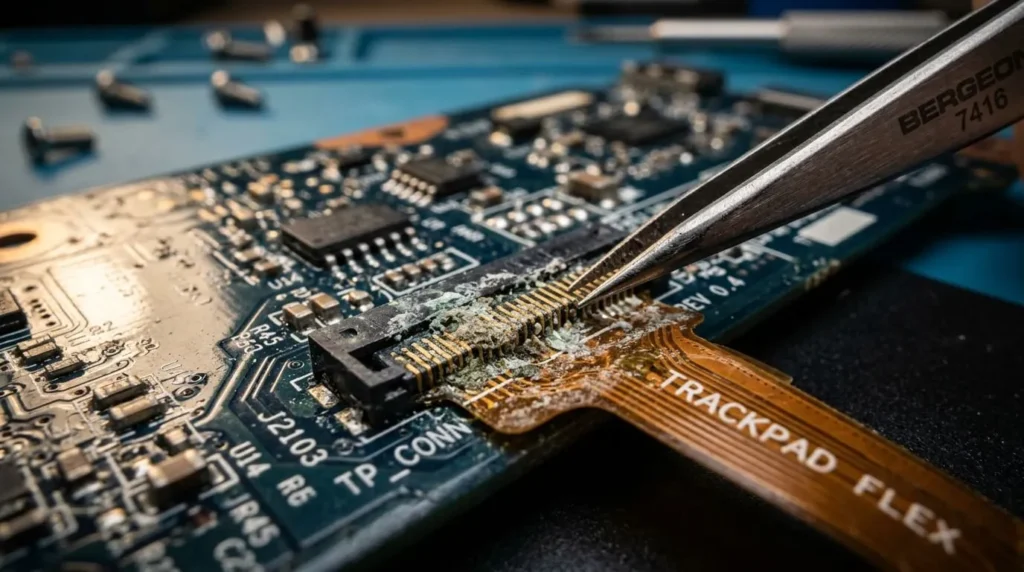
The second most common cause we see is a damaged trackpad ribbon cable — usually from one of two events.
Liquid spills. Even a small splash of milo, coffee, kopi-o, or water that seeps in around the keyboard often runs straight down to the trackpad cable connector. Once it dries, residue and corrosion build up on the contacts. The trackpad starts behaving erratically — jumpy cursor, ghost clicks, drag-without-touching, or completely unresponsive. We see this every week, especially in Malaysia’s humidity.
Cable wear from prior repairs. If a previous shop opened your MacBook and didn’t reseat the cable correctly, or pinched it during reassembly, the cable can develop a partial tear that shows up weeks later. We’ve had customers come in with a “macbook trackpad jumpy” issue that traces straight back to a botched battery replacement done elsewhere.
The good news: in many cases, the trackpad and cable are separate parts. We can replace just the cable if the trackpad assembly itself is healthy — keeping the repair cost down.
Cause #3: Force Touch Sensor Failure (Taptic Engine Issues)
If you have a 2015-and-newer MacBook, your trackpad is a Force Touch trackpad. It doesn’t actually “click” mechanically — instead, it has pressure sensors and a Taptic Engine that simulates a click using haptic feedback. Genius engineering, but more failure points.
Common Force Touch failures we see:
– No haptic click feedback at all — the trackpad registers presses but doesn’t “click” back. Usually a Taptic Engine failure or its connector working loose.
– Pressure sensor drift — the trackpad thinks you’re pressing harder or softer than you actually are. Force Click and Quick Look stop working properly.
– Erratic Force Click — Force Click triggers randomly when you only meant to tap.
Macbook force touch trackpad repair is more involved than older mechanical trackpad repair. The Taptic Engine is bonded to the trackpad assembly, and recalibration after replacement requires Apple Diagnostics Tools — which we have access to as an Apple Certified Independent Repair Provider. General laptop shops cannot recalibrate Force Touch properly, which is why we see so many “fixed elsewhere, still broken” cases come through our door.
Cause #4: Trackpad Assembly Wear (Mechanical Fatigue)
Trackpads do wear out — but slower than most people think. After years of daily use, the surface glass can crack from impacts, the click mechanism on older mechanical trackpads (pre-2015 models) can go soft, and the surface coating can pit or peel.
Signs of genuine trackpad assembly wear:
– Visible cracks or chips in the trackpad glass
– A click that feels mushy or has lost its travel (older models)
– Surface coating that has worn smooth or developed sticky patches
– Physical lift on one side of the trackpad even with a healthy battery
In these cases, macbook trackpad replacement with a genuine assembly is the right call. We always confirm with our diagnosis that it’s not a battery, cable, or sensor issue first — because replacing the trackpad on a swollen-battery MacBook only delays the real problem (and can damage the new trackpad too).
Cause #5: Software Glitches (Rule This Out First — But Don’t DIY Beyond a Restart)
We’re putting this last because, in our experience, software is rarely the cause of a MacBook trackpad that won’t click. A click is a physical action — software can’t physically prevent it. However, software can cause:
– Cursor jumpiness or freezing
– Multi-finger gestures not working
– Trackpad disabling itself when an external mouse is connected
– Settings changes that feel like a malfunction
The only “DIY” step we recommend before bringing your MacBook in: restart your Mac. That’s it. A clean restart resolves a small percentage of trackpad oddities by clearing temporary software states.
We do NOT recommend resetting SMC, NVRAM, or running terminal commands yourself. Based on our experience, customers who try aggressive troubleshooting often turn a small problem into a bigger one — and sometimes mask hardware symptoms long enough that the underlying cause (especially a swollen battery) gets dangerous.
If a restart doesn’t fix it, it’s hardware. Bring it in for a FREE diagnosis.
How To Tell If Your Trackpad Issue Is Actually a Swollen Battery
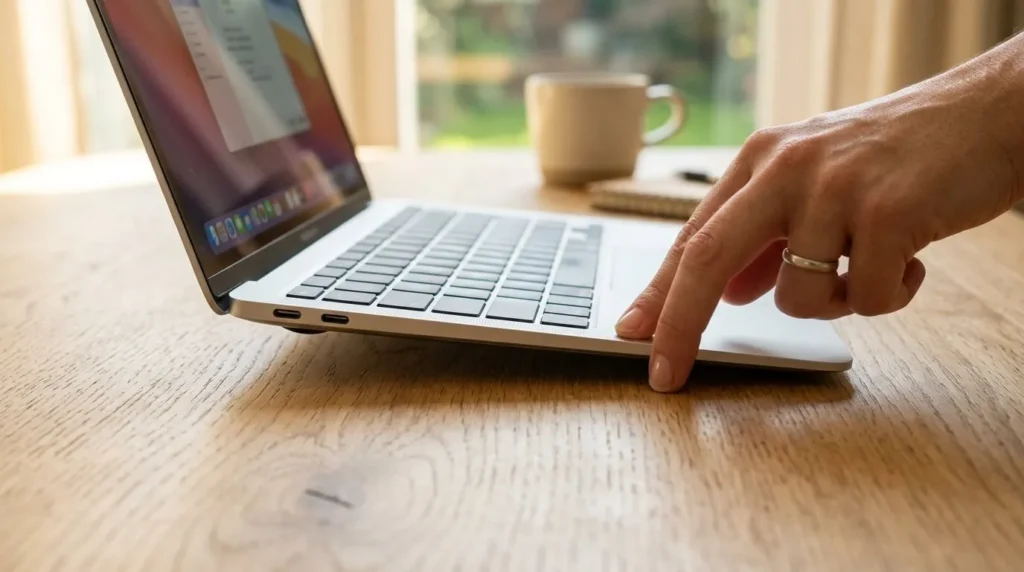
This is important enough that we’re giving it its own section — because a swollen battery doesn’t just affect your trackpad. It can become a fire risk. Here’s how to check.
Visual cue #1: Place your MacBook on a perfectly flat table. A healthy MacBook sits flush. A MacBook with a swollen battery wobbles — it rocks slightly side to side or front to back when you press a corner. If you can see daylight under one corner, that’s a swollen battery pushing the bottom case outward.
Visual cue #2: Look at the keyboard. Are the keys sitting higher than they used to? Does the keyboard area feel “puffy” or raised in the middle? On many MacBook Air models, a swelling battery first reveals itself as a rising keyboard before the trackpad fully fails.
Visual cue #3: Look at the trackpad itself. Is the trackpad visibly raised compared to the palm rest around it? Does it look uneven from one side to the other? Is there a hairline crack on the trackpad glass that wasn’t there before? These are late-stage signs — the battery has already pushed hard enough to physically deform the surface.
Visual cue #4: Check the bottom case. Flip your MacBook over carefully. Run your fingers across the bottom. A bulge, a curve, or screws that look “popped” out of their seats are all swollen battery signs.
If you see ANY of these signs, do NOT continue using the MacBook as a daily driver. Save your work, shut it down, and bring it in.
—
Why Ignoring a Swollen Battery Is Genuinely Dangerous
We rarely use the word “danger” lightly in our blog. We use it here.
Lithium-ion batteries swell because internal chemistry has gone wrong — usually electrolyte breakdown producing gas. A swollen battery is a battery that has already failed safely. The next step, if it’s punctured, crushed, overheated, or further compressed, is thermal runaway. That means smoke, fire, and in rare cases, an actual flame inside your laptop.
Here’s the real-world version: we’ve had customers walk in with MacBooks where the trackpad had cracked from internal pressure, and the bottom case had popped open at the screws. Those devices were one impact, one charging cycle, or one hot day in a car away from a serious incident.
There is no DIY-safe way to handle a swollen battery. It must NOT be punctured, bent, or thrown into normal waste. At KissMyMac®, as an Apple Certified Independent Repair Provider, we follow proper safe disposal protocols for swollen lithium cells — they go to certified e-waste handlers, not the regular bin.
If your trackpad symptoms match Section 2 above, treat it as urgent. Same-day diagnosis is available — WhatsApp us first.
How Much Does MacBook Trackpad Repair Cost in Malaysia?
Let us be transparent about pricing. The cost of macbook trackpad repair Malaysia depends on three things: your model, what’s actually broken, and whether it’s a single repair or a combo.
Trackpad-Only Repair (Cable Issue, Sensor, or Assembly Replacement)
| Issue | Estimated Cost |
| Trackpad Cable Replacement (Liquid Residue Or Wear Or Burn) | RM 80.00 – RM 250.00 |
| Full Trackpad Assembly Replacement (Force Touch sensor / Taptic Engine recalibration/Cracked Glass / Mechanical Failure) | RM 250.00 – RM 750.00 |
Trackpad + Cable Combo
| Issue | Estimated Cost |
| Trackpad assembly + cable (post-liquid damage) | RM 350.00 – RM 850.00 |
Battery + Trackpad Combo (Most Common Real-World Repair)
| Issue | Estimated Cost |
| Battery Replacement | RM 350.00 – RM 1,500.00 |
| Battery + trackpad combo (battery + new trackpad if pressure-cracked) | RM 750.00 – RM 3,500.00 |
Disclaimer: All prices above are estimated ranges based on current part availability and our typical workshop rates as of 2026. Final pricing depends on your specific Macbook model, year, and the exact parts required after diagnosis. We always quote a firm price after our FREE diagnosis — and we never start work without your approval. No Fix, No Fee.
Compare this to Apple’s standard approach: a single bottom-case-bonded battery + trackpad replacement at an Apple Authorised Service Provider can easily exceed RM2,500 because Apple often replaces the entire top-case assembly together. At KissMyMac®, we do component-level repair — meaning we replace only what’s actually broken – in this case, we are doing MacBook Trackpad Replacement
Why Choose KissMyMac® For Your MacBook Trackpad Repair Malaysia
We’re not the cheapest. We’re not Apple-expensive either. Here’s where we sit, and why our customers keep coming back.
Apple Certified Independent Repair Provider. We have official access to Apple Diagnostics Tools, genuine Apple parts (including genuine batteries), and Apple’s IRP supply chain. You can verify our status at Apple Support Website.
Component-level repair, not full assembly swaps. Apple will quote you a top-case replacement (which includes the trackpad, keyboard, and battery as one bonded unit). We replace the actual broken component. That’s where the price difference comes from — not corner-cutting.
Genuine Apple batteries — and safe disposal of swollen ones. Cheap aftermarket batteries are the leading cause of re-swelling within 12 months. We don’t use them. And when we remove a swollen battery from your machine, it goes to certified e-waste handlers — not the regular bin.
FREE Diagnosis. No Fix, No Fee. Walk in, drop off, and we tell you exactly what’s wrong before you commit a single ringgit. If we can’t fix it, you pay nothing.
Your data stays untouched. A MacBook trackpad Replacement or battery repair has nothing to do with your SSD, logicboard, or operating system. We don’t wipe your machine. Not a single folder lost.
Three locations across the Klang Valley and beyond for MacBook Trackpad Repair Malaysia:
Frequently Asked Questions
Why is my MacBook trackpad not clicking but the cursor still moves?
In our experience, this is almost always a swollen battery pushing up against the trackpad from underneath, compressing the click mechanism. The cursor still moves because the touch surface still works — but the click won’t register because there’s no longer enough physical gap for it to depress. A genuine battery replacement usually resolves this completely without needing a new trackpad. Bring it in for a FREE diagnosis at KissMyMac® so we can confirm with Apple Diagnostics Tools whether the battery, the trackpad, or both need attention.
There’s also another reason is that the coil of the trackpad which generates the haptic feedback to the user is damage. This will have to replace the MacBook Trackpad.
How do I know if my MacBook battery is swollen?
Place the MacBook on a flat table — if it wobbles, the battery is likely swollen. Other signs include a keyboard that sits higher than before, a trackpad that appears raised compared to the palm rest, or a bottom case that visibly bulges or has popped screws. If you notice any of these, stop using the device and bring it in. A swollen battery is a fire risk, not just a trackpad issue.
How much does macbook trackpad repair in Malaysia cost?
At KissMyMac®, trackpad-only repairs range from RM450 to RM1,500 depending on whether it’s a cable, sensor, or full assembly replacement. Battery + trackpad combo repairs range from RM750 to RM3,500. In many “trackpad not clicking” cases, only a MacBook battery replacement (RM450 to RM1,200) or MacBook Trackpad Replacement RM250 – RM750 is actually needed. We confirm exact pricing after a FREE diagnosis and never start work without your approval.
Can a swollen battery damage other parts of my MacBook?
Yes. A swollen battery can crack the trackpad, deform the bottom case, push the keyboard upward, stress the logicboard connectors, and in worst-case scenarios cause thermal runaway (fire). The longer it’s left unaddressed, the higher the chance of secondary damage that turns a simple battery replacement into a much larger repair. This is why we always treat swollen-battery cases as urgent.
Is it worth replacing my MacBook trackpad or should I just buy a new MacBook?
For most MacBook Air and Pro models from 2018 onwards, trackpad or battery repair is absolutely worth it — your logicboard, SSD, screen, and chassis are likely fine. A repair costing RM450 to RM1,800 on a MacBook that would cost RM5,000 to RM18,000 to replace new is a clear financial decision. For very old models (2015 or earlier) with multiple issues, we’ll honestly tell you if a new device makes more sense. Our FREE diagnosis gives you the full picture.
Can I fix a jumpy MacBook trackpad with a software update?
Sometimes — but only if the cause is genuinely software, which is rare. Try restarting your Mac first (one safe DIY step). If the issue persists, it’s hardware: usually a damaged cable, liquid residue, or a Force Touch sensor problem. We do NOT recommend resetting SMC/NVRAM yourself or running terminal commands. Based on our experience, aggressive DIY troubleshooting often masks symptoms long enough for underlying hardware issues to get worse.
How long does MacBook trackpad repair take at KissMyMac®?
Most trackpad-only repairs are completed within 1 to 2 hours days. Battery + trackpad combo repairs typically take 2 to 3 hours depending on parts availability for your specific Macbook model. We always provide an estimated timeline during FREE diagnosis, and we’ll WhatsApp you the moment your MacBook is ready.
Ready To Fix Your MacBook Trackpad?
If your trackpad is not clicking, jumpy, or your MacBook is wobbling on a flat table — don’t wait. The longer a swollen battery is left inside the device, the more damage it does (and the higher the safety risk).
KissMyMac® is Malaysia’s Apple Certified Independent Repair Provider, with over 10 years of experience and component-level repair capability that saves you significant ringgit compared to Apple’s full-assembly approach.
We offer FREE Diagnosis and our No Fix, No Fee guarantee means you have nothing to lose.
WhatsApp us today with a short video of your trackpad issue (or a photo of the bottom case if you suspect swelling) — we’ll give you an initial assessment before you even come in.
A clicking Mac is a happy Mac, and a happy Mac means you can get back to work.
*Reviewed and fact-checked by the KissMyMac® technical team — an Apple Certified Independent Repair Provider with workshops in Kuala Lumpur, Petaling Jaya, and Seremban. Repair details and pricing verified July 2026 and reviewed quarterly.*
Written By
I am the KissMyMac® Malaysia Technician, an Apple Certified Technician at KissMyMac with More than 8 Years Of Experience In The Apple Repair Industry. We specialize in Macbook Repair & Upgrade, iMac Repair, iPhone Repair, iPad Repair in KissMyMac. We have dealt with more than 30,000+ Apple repairs throughout our years working in this industry, from a small repair shop to where we are now with 3 branches across Malaysia – KissMyMac Kuala Lumpur, KissMyMac Petaling Jaya, and KissMyMac Seremban